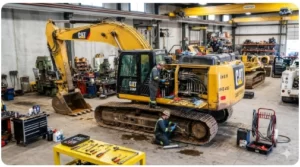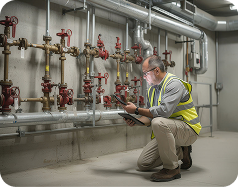

Each piece of equipment your team owns needs maintenance, and every maintenance task needs a record. The problem is that most teams track assets in one system and manage maintenance in another. Maintenance tracking software closes that gap. It connects physical asset tags to work orders, schedules, and service history in one place.
This guide ranks the seven best maintenance tracking software platforms for 2026. We tested each on real equipment across work orders, preventive scheduling, mobile scanning, and reporting. The list is organized by best-fit use case, not a single quality score. Each platform leads for a different operation, from construction crews to enterprise plants.
In this article...
Quick Answer
GoCodes Asset Tracking is the best maintenance tracking software for construction and field operations. It is the only platform reviewed that bundles tracking hardware with maintenance software.
MaintainX leads for digital work orders. Limble leads for ease of use. UpKeep leads for mobile-first teams. Fiix leads for industrial manufacturing.
Coast leads for small team collaboration. eMaint leads for enterprise operations.
Free tiers are available from Coast, MaintainX, and Fiix. Paid plans range from $24 to $69 per user per month.
GoCodes Asset Tracking uses asset-based pricing from $500 per year with labels included.
How We Evaluated the Best Maintenance Tracking Software
Our team evaluated each platform by running work order creation, preventive maintenance scheduling, mobile scanning, and reporting workflows across hands-on trial periods. We tested on real equipment environments to assess how each solution performs in field conditions, not just in demo mode. Every rating in this guide reflects direct product experience, verified G2 and Capterra reviews, and technical capability comparison.
Our evaluation framework measures maintenance tracking solutions across six dimensions that determine real-world value for operations teams.
1. Asset Identification and Tracking Integration
Does the platform connect physical asset identification (QR codes, barcode labels, NFC tags, GPS) directly to maintenance workflows? Solutions that bridge this gap eliminate data entry errors and reduce the time technicians spend locating equipment records.
2. Work Order Management Depth
We assessed work order creation speed, assignment workflows, priority tagging, status tracking, photo and video documentation, and completion verification. The best platforms allow technicians to create work orders by scanning an asset tag in under 30 seconds.
3. Preventive Maintenance Scheduling
How effectively does the platform automate recurring maintenance tasks? We evaluated scheduling flexibility (time-based, meter-based, condition-based), automated assignment, overdue alerts, and calendar visualization.
4. Spare Parts and Inventory Control
Maintenance does not happen without parts. We assessed parts and inventory tracking, minimum stock alerts, purchase order generation, and the connection between parts consumption data and maintenance cost analysis.
5. Reporting and Maintenance KPIs
Platforms were evaluated on their ability to track mean time to repair (MTTR), mean time between failures (MTBF), planned maintenance percentage, maintenance cost per asset, and technician labor hours.
6. Pricing, Implementation, and Hardware Inclusion
Transparent pricing, implementation timeline, mobile accessibility, and whether the platform includes physical tracking hardware or requires separate purchases.
7 Best Maintenance Tracking Softwares Overview
This list is organized by best-fit use case, not one quality hierarchy. G2 ratings appear for transparency. Each platform leads in the operation it serves best.
| Use-Case Rank | Software | G2 Rating | Best For | Tracking Methods | Starting Price | Free Trial |
|---|---|---|---|---|---|---|
| 1 | GoCodes Asset Tracking | 4.6/5 | Construction and Field Maintenance | QR, GPS, Bluetooth, NFC | $500/year | Yes, 15 days |
| 2 | MaintainX | 4.8/5 | Digital Work Orders | Barcode, QR | $25/user/month | Yes |
| 3 | Limble CMMS | 4.8/5 | Ease of Use | Barcode, QR | Custom | Yes |
| 4 | UpKeep | 4.5/5 | Mobile-First Maintenance | Barcode, IoT sensors | $24/user/month | Yes |
| 5 | Fiix CMMS | 4.6/5 | Industrial Manufacturing | Barcode, IoT, SCADA | $45/user/month | Demo only |
| 6 | Coast | 4.7/5 | Small Team Collaboration | QR codes | $28/user/month | Yes |
| 7 | eMaint | 4.5/5 | Enterprise Maintenance | Barcode, QR, IoT | $69/user/month | Demo only |
What is Maintenance Tracking Software?
Maintenance tracking software is a CMMS with built-in physical asset identification and location tracking.
It gives operations teams a centralized system to schedule preventive maintenance, create and assign work orders, and record the full service history of every physical asset.
Most buyers also call this category a CMMS, or computerized maintenance management system.
The category sits at the intersection of two disciplines that most organizations manage separately: asset tracking and maintenance management. Software that connects these two functions eliminates the documentation gaps that cause reactive breakdowns, missed inspections, and compliance failures.
Why Maintenance Tracking Software Matters in 2026
The financial stakes are significant. Unplanned equipment downtime costs industrial manufacturers an estimated $50 billion per year in the United States alone. For Fortune Global 500 companies, the toll reaches $1.4 trillion annually, equivalent to 11% of total revenues, according to the Siemens True Cost of Downtime 2024 report. Reactive maintenance costs two to five times more per repair than scheduled preventive work.
The data on preventive and predictive approaches is equally clear. The U.S. Department of Energy’s Operations and Maintenance Best Practices Guide reports that preventive maintenance reduces total maintenance costs by 12% to 18%, while predictive maintenance delivers an additional 8% to 12% in savings over preventive programs alone. Every hour a technician spends hunting for asset records, service history, or parts information is an hour not spent maintaining equipment.
The market reflects this shift. The global CMMS market was valued at $1.29 billion in 2024 and is projected to reach $2.41 billion by 2030, growing at 11.1% CAGR according to Grand View Research. Teams are no longer asking whether they need maintenance software. They are asking which platform fits their operation.
IoT sensors now feed real-time vibration, temperature, and pressure data into maintenance platforms. AI scheduling algorithms prioritize work orders based on asset criticality and failure probability. These capabilities only work when the underlying asset data is accurate, complete, and accessible from the field.
For organizations managing physical equipment across multiple locations, maintenance tracking software is no longer optional. It is the operational backbone that determines whether your team prevents problems or reacts to them.
7 Best Maintenance Tracking Softwares for 2026
1. GoCodes Asset Tracking: Best Maintenance Tracking Software for Construction and Field Operations
GoCodes Asset Tracking delivers a complete hardware and software maintenance tracking solution purpose-built for construction companies, contractors, and field service operations. Founded in 2011 and serving over 1,000 businesses including Intel, Toyota, and Jack Daniels, GoCodes Asset Tracking combines patented QR code labels with cloud-based maintenance management to give field teams full visibility into equipment condition, service history, and maintenance schedules.
GoCodes Asset Tracking leads this list for construction and field operations. Bundled tracking hardware is the reason it ranks first for that use case. What separates GoCodes Asset Tracking from pure CMMS platforms is the integrated tracking hardware. Most maintenance software assumes your assets are already cataloged and tagged. GoCodes Asset Tracking ships the labels with your subscription, so implementation starts with physically tagging every asset and building the digital record simultaneously. That connection between the physical tag and the digital maintenance record is what eliminates the data accuracy gap that breaks most maintenance programs.
Key Features
- Patented QR code labels included with every subscription (durable, waterproof, unique identifier per label)
- Scan-to-create work orders: two taps from QR code scan to assigned maintenance task
- Preventive maintenance scheduling with recurring task templates (daily, weekly, monthly, quarterly, annual)
- GPS location tracking via smartphone scanning and optional real-time GPS trackers
- Bluetooth beacon support for indoor asset tracking in warehouses and facilities
- Mobile app for iOS and Android with offline functionality for field technicians
- Full audit trail of maintenance history, location changes, and technician accountability
- Custom fields for asset-specific data including model, serial number, purchase date, and warranty status
- Photo and video documentation at every maintenance stage
- Check-in and check-out workflows with user assignments
Tracking Technology and Integration
GoCodes Asset Tracking offers the broadest tracking technology options in the maintenance tracking category. The patented QR code system works with any smartphone camera, eliminating dedicated scanning hardware. GPS trackers provide continuous location monitoring for vehicles and high-value equipment. Bluetooth beacons enable precise indoor tracking for warehouses and facilities. NFC tags support tap-to-identify workflows for high-volume environments.
This multi-technology approach bridges the gap between simple barcode-based CMMS platforms and enterprise telematics’ systems. Organizations can match tracking methods to specific asset types without switching platforms.

Maintenance Workflow
The maintenance workflow in GoCodes Asset Tracking starts at the physical asset. A technician scans a QR code label, immediately sees the asset’s full history, and can create a work order, log a completed inspection, or update maintenance notes from the field. Preventive maintenance schedules generate automated alerts before due dates. Overdue tasks escalate through notifications to supervisors.
Work orders flow through a status pipeline: requested, assigned, in progress, completed. Each step captures timestamp, technician identity, parts used, labor time, and photographic documentation. This creates the audit trail that compliance inspections require without adding paperwork to the technician’s day.
See How GoCodes Asset Tracking Works for a full walkthrough of the scan-to-record workflow.
Pricing and ROI
Annual subscription pricing starts at $500 per year, which includes software access and a starter pack of QR labels. GPS tracker hardware is available as an add-on for assets requiring continuous location monitoring.
Unlike competitors that charge per user per month, GoCodes Asset Tracking uses asset-based pricing that scales with your equipment count rather than your team size. This structure makes the platform more cost-effective for organizations with large maintenance teams relative to their asset count.
Best For: Construction companies, contractors, trades businesses, facilities management teams, and equipment-intensive operations seeking maintenance tracking with integrated asset identification hardware.
Limitations: Less suited for organizations focused exclusively on IT asset management or those requiring deep ITSM integrations like ServiceNow or Jira.
Rating: 4.6 out of 5
2. MaintainX: Best Maintenance Tracking Software for Digital Work Orders
MaintainX has built a strong position in the CMMS market by focusing on the work order as the primary unit of maintenance operations. The platform replaces paper-based and spreadsheet-driven work order systems with a mobile-first digital workflow that captures every step of maintenance execution.
The platform’s strength is its procedure-driven approach. Maintenance tasks are defined as step-by-step procedures with required fields, photo capture points, and sign-off requirements. This standardization ensures that the same maintenance task is executed identically regardless of which technician performs it.
Key Features
- Procedure-based work order templates with step-by-step instructions
- Real-time messaging and communication within work orders
- AI-powered insights and maintenance suggestions
- Meter-based and time-based preventive maintenance triggers
- Parts and inventory tracking with minimum stock alerts
- Multi-site management with location hierarchy
Tracking Technology and Integration
MaintainX supports barcode and QR code scanning for asset identification through its mobile app. The platform does not include proprietary scanning hardware. GPS tracking is not a core feature. Integration with ERPs, accounting systems, and IoT platforms is available through the API and pre-built connectors.
Pricing and ROI
MaintainX offers a free tier for up to 2 work orders per month (Basic plan). Paid plans start at $25 per user per month. Premium runs at $49 per user per month with advanced analytics and IoT integration. Enterprise pricing is custom.
The per-user pricing model can escalate quickly for organizations with large field teams. A 20-person maintenance team on the Premium plan runs $11,760 annually before add-ons.
Best For: Manufacturing plants, food and beverage operations, and any environment where procedure compliance and standardized work execution are top priorities.
Limitations: No integrated tracking hardware. Per-user pricing escalates for large teams. Free tier is heavily restricted.
Rating: 4.8 out of 5
3. Limble CMMS: Best Maintenance Tracking Software for Ease of Use
Limble CMMS has earned its reputation as the most intuitive CMMS platform on the market. The interface prioritizes simplicity without sacrificing the core maintenance management features that operations teams need.
The platform’s onboarding experience is its key differentiator. Most CMMS implementations take months. Limble targets implementation in days. The drag-and-drop work order board, visual asset hierarchy, and minimal-click workflows reduce the training burden that kills adoption of more complex platforms.
Key Features
- Drag-and-drop work order management dashboard
- Visual asset hierarchy with parent-child relationships
- Time-based and meter-based preventive maintenance scheduling
- QR code and barcode asset identification via mobile app
- Custom dashboards with drag-and-drop KPI widgets
- Parts and inventory management with automatic reorder points
- Integration with over 40 platforms including SAP, Oracle, and QuickBooks
Tracking Technology and Integration
Limble supports barcode and QR code scanning through its mobile app. The platform can generate printable QR labels but does not include physical label hardware. GPS tracking requires third-party integration. IoT sensor data ingestion is available on higher-tier plans.
Pricing and ROI
Limble uses custom pricing that requires contacting their sales team. Plans scale with feature access and user count, with tiers covering IoT connectivity, advanced analytics, and API access at higher levels.
Best For: Mid-sized facilities management teams, hospitality operations, and organizations prioritizing fast implementation and high user adoption over deep industrial integration.
Limitations: Per-user pricing limits cost-effectiveness for large teams. No physical tracking hardware included. Advanced IoT features require higher-tier plans.
Rating: 4.8 out of 5
4. UpKeep: Best Mobile-First Maintenance Tracking Software
UpKeep built its CMMS platform around the mobile technician experience. The platform’s iOS and Android apps are not afterthoughts. They are the primary interface, designed for technicians who spend their working hours at equipment, not at desks.
The IoT sensor integration adds a condition-monitoring layer that pure work-order platforms lack. Temperature, vibration, humidity, and electrical current sensors feed data into UpKeep through a cellular gateway, triggering automated work orders when readings exceed thresholds.
Key Features
- Mobile-first work order management with offline functionality
- IoT sensor integration for temperature, vibration, humidity, and current monitoring
- Preventive maintenance scheduling based on time, meter readings, or sensor conditions
- Parts and inventory management with barcode scanning
- Asset lifecycle tracking including depreciation and warranty status
- Custom dashboards and KPI reporting with maintenance analytics
- Real-time notifications and team collaboration tools
Tracking Technology and Integration
UpKeep supports barcode scanning through its mobile app. IoT sensors connect via 4G LTE cellular gateway. GPS tracking for mobile assets is not a core focus. The platform integrates with Zapier, Slack, QuickBooks, and offers REST API access.
Pricing and ROI
The Lite plan starts at $24 per user per month. Starter is $45, Professional is $75, and Business+ requires custom quotes. A free trial is available without credit card.
Organizations typically see ROI through reduced equipment downtime, extended asset lifespan, and improved maintenance team productivity. The IoT sensor hardware is an additional cost on top of subscription fees.
Best For: Manufacturing and facilities maintenance teams with significant equipment uptime requirements. Teams transitioning from reactive to preventive maintenance. Mobile technicians needing field-accessible work order management.
Limitations: Per-user pricing escalates for larger teams. Advanced features require higher-tier subscriptions. IoT sensors are separate purchases. Less suitable for organizations needing integrated asset identification hardware.
Rating: 4.5 out of 5
5. Fiix CMMS: Best Maintenance Tracking Software for Industrial Manufacturing
Fiix, acquired by Rockwell Automation in 2021, brings AI-driven maintenance intelligence to industrial manufacturing environments. The platform’s integration with Rockwell’s industrial automation ecosystem gives it a unique advantage in facilities running Allen-Bradley PLCs and FactoryTalk systems.
The AI engine analyzes maintenance history, parts consumption patterns, and work order data to recommend optimal maintenance intervals and predict failure events. This moves beyond simple time-based preventive maintenance into genuine predictive scheduling.
Key Features
- AI-driven maintenance scheduling and failure prediction
- Integration with Rockwell Automation industrial control systems
- Parts and inventory management with automated procurement workflows
- Multi-site asset management with organizational hierarchy
- Compliance tracking with audit trail for regulated industries
- Custom reporting with maintenance KPI dashboards (MTTR, MTBF, PM compliance)
- API integrations with ERP systems including SAP and Oracle
Tracking Technology and Integration
Fiix supports barcode scanning for asset identification. The platform integrates with SCADA systems, BMS platforms, and IoT sensor networks through Rockwell’s PTC ThingWorx integration. This gives Fiix the deepest industrial equipment connectivity of any platform in this evaluation.
Pricing and ROI
Fiix offers a free tier (Fiix Freebie) for up to 3 users. Paid plans start at $45 per user per month. Enterprise pricing is fully custom. The free tier is unusually generous for initial evaluation but lacks the AI and advanced analytics features.
Best For: Manufacturing plants running Rockwell Automation equipment. Regulated industries (food and beverage, pharmaceutical, energy) requiring compliance audit trails. Organizations ready for AI-driven predictive maintenance.
Limitations: Deepest value requires Rockwell Automation ecosystem. Sales-driven pricing lacks transparency. Enterprise-grade complexity may overwhelm smaller teams.
Rating: 4.6 out of 5
6. Coast: Best Maintenance Tracking Software for Small Team Collaboration
Coast positions itself at the collaboration end of the maintenance tracking spectrum. The platform combines work order management with team messaging, shared checklists, and scheduling tools in an interface designed for small to mid-sized maintenance teams.
The platform’s free tier is its primary acquisition tool. Teams can run basic maintenance tracking at no cost, making Coast one of the lowest-barrier entry points into digital maintenance management.
Key Features
- Integrated team messaging alongside work order management
- Shared checklists and recurring task templates
- QR code scanning for asset identification
- Scheduling and shift management for maintenance teams
- Photo documentation and file attachments on work orders
- Simple preventive maintenance scheduling
Tracking Technology and Integration
Coast supports QR code scanning through its mobile app. The platform generates QR codes for asset identification but does not include physical label hardware. GPS and IoT integration are not available. Integrations are limited compared to enterprise CMMS platforms.
Pricing and ROI
Coast offers a free tier with basic features for small teams. The Starter plan begins at $28 per user per month. Pro is $39 per user per month. Enterprise pricing is custom.
The free tier makes Coast accessible for teams testing maintenance tracking concepts before investing in more robust platforms. The trade-off is limited scalability and narrower feature depth compared to dedicated CMMS solutions.
Best For: Small maintenance teams (under 15 technicians). Organizations transitioning from whiteboards and spreadsheets to digital maintenance management. Teams that value communication tools integrated with work orders.
Limitations: Limited scalability for larger operations. No IoT or sensor integration. No physical tracking hardware included. Fewer integrations than mature CMMS platforms. Reporting depth is basic compared to enterprise alternatives.
Rating: 4.7 out of 5 (only 13 reviews)
7. eMaint: Best Maintenance Tracking Software for Enterprise Operations
eMaint, part of Fluke Reliability (a Fortive company), targets enterprise maintenance operations that require configurable workflows, deep reporting, and multi-site management. The platform has been in the CMMS market for over 35 years, giving it one of the longest track records in the category.
The platform’s configurability is its core strength. eMaint offers an extensive form builder, custom workflow engine, and flexible reporting system that enterprises use to model their specific maintenance processes rather than adapting to a rigid software workflow.
Key Features
- Highly configurable workflow engine with custom form builder
- Multi-site asset management with organizational hierarchy
- Predictive maintenance through integration with Fluke condition monitoring tools
- Advanced reporting and analytics with scheduled report delivery
- Parts and inventory management with vendor management
- Interactive floor plans and asset mapping
- Integration with ERP, accounting, and SCADA systems
- Mobile app with offline data capture
Tracking Technology and Integration
eMaint supports barcode and QR code scanning through its mobile app and integrates with Fluke’s condition monitoring instruments (thermal imagers, vibration analyzers, power quality meters). This gives eMaint a hardware advantage in predictive maintenance workflows, though focused on diagnostic instruments rather than asset identification tags.
Pricing and ROI
eMaint uses custom enterprise pricing requiring direct sales engagement. Published pricing suggests plans starting around $69 per user per month for the Team plan, with Professional and Enterprise tiers available. The investment reflects enterprise-grade configurability and support.
Best For: Large multi-site operations with complex maintenance workflows; Organizations using Fluke diagnostic instruments; Enterprises requiring deep reporting customization and audit-grade documentation.
Limitations: Configuration complexity requires dedicated administrator resources. Enterprise pricing excludes budget-constrained teams. Implementation timeline is longer than simpler alternatives.
Rating: 4.5 out of 5
Best Free Maintenance Tracking Software
Three platforms in this guide offer a genuine free tier. Free plans suit small teams testing maintenance tracking before they commit budget.
| Platform | Free Tier Limit | Best Free Use Case |
|---|---|---|
| Coast | Basic features for small teams | Whiteboard and spreadsheet replacement |
| MaintainX | 2 work orders per month | Single-asset or trial evaluation |
| Fiix | Up to 3 users (Fiix Freebie) | Small team without AI features |
Free tiers cap work orders, users, or assets. Teams tracking more than 50 assets or 5 technicians usually outgrow them within a month. GoCodes Asset Tracking does not offer a free tier. It starts at $500 per year with hardware included, which often beats per-user plans once a team passes ten technicians.
Maintenance Tracking Software vs CMMS: What is the Difference?
The terms maintenance tracking software and CMMS (Computerized Maintenance Management System) overlap significantly, but they are not identical.
CMMS platforms focus on the management layer: work orders, preventive maintenance schedules, parts inventory, and maintenance reporting. These are software-only systems that assume your assets are already identified, located, and cataloged.
Maintenance tracking software adds the identification and location layer. It connects physical tracking technologies (QR codes, GPS trackers, Bluetooth beacons, NFC tags, barcodes) to the maintenance management workflow. This means the software knows not just what maintenance is due, but where the asset is and who last interacted with it.
For organizations with mobile assets, equipment spread across multiple job sites, or assets that move between locations, the tracking component is essential. A CMMS can schedule a pump inspection, but maintenance tracking software confirms which site the pump is at, who checked it out, and when it was last scanned.
The most complete solutions in this category, like GoCodes Asset Tracking, bundle both tracking hardware and maintenance management software into a single platform. This eliminates the integration complexity of connecting separate asset tracking and CMMS systems.
For a broader category view, see our guide to the best asset tracking software.
Tracking Technology Comparison by Platform
Tracking technology determines whether a platform can locate and identify assets, not just schedule them. This matrix compares identification and location methods across all seven platforms.
| Platform | QR Code | Barcode | GPS | Bluetooth | NFC | IoT Sensors | Hardware Included |
|---|---|---|---|---|---|---|---|
| GoCodes Asset Tracking | Yes (patented) | Yes | Yes | Yes | Yes | No | Yes |
| MaintainX | Yes | Yes | No | No | No | Via integration | No |
| Limble | Yes | Yes | Via integration | No | No | Higher tiers | No |
| UpKeep | No | Yes | No | No | No | Yes (cellular gateway) | No |
| Fiix | No | Yes | No | No | No | Yes (SCADA, ThingWorx) | No |
| Coast | Yes | No | No | No | No | No | No |
| eMaint | Yes | Yes | No | No | No | Yes (Fluke instruments) | No |
GoCodes Asset Tracking is the only platform in this evaluation that ships physical tracking hardware with the subscription. It also supports the widest range of identification methods.
How to Choose the Best Maintenance Tracking Software for Your Business
Selecting the right maintenance tracking platform requires matching your operational reality to software capabilities. Use these decision criteria:
1. Start with your asset identification gap
If your assets are not consistently tagged and cataloged, you need a platform that includes tracking hardware. Software-only solutions assume a problem you may not have solved yet.

2. Count your maintenance team size
Per-user pricing models (MaintainX, Limble, UpKeep, Coast, eMaint) favor smaller teams. Asset-based pricing models (GoCodes Asset Tracking) favor organizations with large crews relative to equipment count.
3. Assess your environment
Office-based facilities’ teams have different requirements than field operations. If your technicians work across multiple job sites, prioritize mobile-first platforms with offline functionality, GPS tracking, and fleet visibility.
4. Evaluate your maintenance maturity
Teams transitioning from spreadsheets should prioritize ease of use (Limble, Coast). Teams ready for predictive maintenance should evaluate IoT integration depth (UpKeep, Fiix).
5. Check integration requirements
If you run Rockwell Automation equipment, Fiix has a built-in advantage. If you use Fluke diagnostic instruments, eMaint is the natural fit. If you need tracking hardware included, GoCodes Asset Tracking is the only option in this evaluation that bundles it.
6. Calculate total cost of ownership
Subscription price is the starting point. Add hardware costs, implementation time, training investment, and the ongoing cost of per-user fees as your team grows. A $20/user/month platform costs $14,400 annually for a 60-person maintenance team before hardware or add-ons.
The table below models annual software cost as team size grows. Per-user pricing scales with headcount. Asset-based pricing does not.
| Team Size | Per-User Plan at $25/user/month | GoCodes Asset Tracking Asset-Based (from) |
|---|---|---|
| 10 technicians | $3,000/year | $500/year |
| 30 technicians | $9,000/year | $500/year |
| 60 technicians | $18,000/year | $500/year |
Asset-based pricing scales with equipment count, not headcount. The figures above show the GoCodes Asset Tracking starting tier, not a per-seat cost. Per-user pricing favors small teams with many assets. Asset-based pricing favors large teams relative to asset count.
Comparing adjacent categories helps too. See the best asset tracking softwares, best fixed asset management softwares, best IT asset management softwares, best equipment tracking softwares, and best tool tracking softwares guides.
FAQs
What is the best maintenance tracking software for small businesses?
For small businesses with limited budgets, Coast offers a free tier for basic maintenance tracking, and MaintainX provides a limited free plan. GoCodes Asset Tracking starts at $500 per year with tracking hardware included, making it cost-effective for small teams managing physical equipment across multiple locations.
What is the difference between CMMS and maintenance tracking software?
CMMS (Computerized Maintenance Management System) focuses on work orders, scheduling, and maintenance reporting. Maintenance tracking software adds physical asset identification and location tracking through QR codes, GPS, Bluetooth, or NFC tags. The most complete solutions combine both capabilities in a single platform.
How much does maintenance tracking software cost?
Prices range from free (Coast, MaintainX basic tiers) to custom enterprise pricing (Fiix, eMaint). Mid-range options cost $20 to $75 per user per month. GoCodes Asset Tracking uses asset-based pricing starting at $500 per year with included hardware. Total cost of ownership depends on team size, asset count, and hardware requirements.
Can maintenance tracking software reduce equipment downtime?
Yes the U.S. Department of Energy reports that predictive maintenance programs reduce breakdowns by 70% to 75% and cut downtime by 35% to 45%. Organizations using preventive maintenance software typically see maintenance cost reductions of 12% to 18%. The combination of automated scheduling, condition monitoring, and maintenance history analysis enables teams to prevent failures rather than react to them.
What maintenance KPIs should the software track?
Essential maintenance KPIs include mean time to repair (MTTR), mean time between failures (MTBF), planned maintenance percentage (PMP), maintenance cost per asset, work order completion rate, and spare parts availability. Most platforms in this evaluation track these metrics through built-in dashboards.
Do I need physical tracking hardware for maintenance management?
It depends on your asset environment. If equipment moves between locations or job sites, physical tracking hardware (QR labels, GPS trackers) significantly improves data accuracy. For stationary equipment in a single facility, barcode scanning through a mobile app may be sufficient.
What is preventive maintenance software?
Preventive maintenance software automates the scheduling and tracking of routine maintenance tasks. It generates work orders based on time intervals, usage meters, or sensor-triggered conditions. The goal is to maintain equipment before failures occur rather than reacting to breakdowns.
How long does maintenance tracking software take to implement?
Implementation timelines range from days to months depending on platform complexity and organizational size. GoCodes Asset Tracking targets implementation in under two weeks. Enterprise CMMS platforms like eMaint typically require 60 to 90 days for full deployment with custom configuration.
Can maintenance tracking software integrate with ERP systems?
Most platforms in this evaluation offer ERP integration through APIs or pre-built connectors. Fiix integrates with SAP and Oracle through Rockwell’s ecosystem. MaintainX and UpKeep connect through Zapier and REST APIs. GoCodes Asset Tracking offers API access for custom integrations with accounting and ERP platforms.
Which maintenance tracking software is best for compliance and audits?
Regulated industries need audit trails, inspection records, and configurable workflows. eMaint and Fiix target compliance-heavy operations in food, beverage, pharmaceutical, and energy. Enterprise platforms like IBM Maximo serve the largest asset-intensive operations. GoCodes Asset Tracking provides a full audit trail of maintenance history, location changes, and technician accountability for field compliance. It also supports calibration management for instruments that need scheduled recertification.