
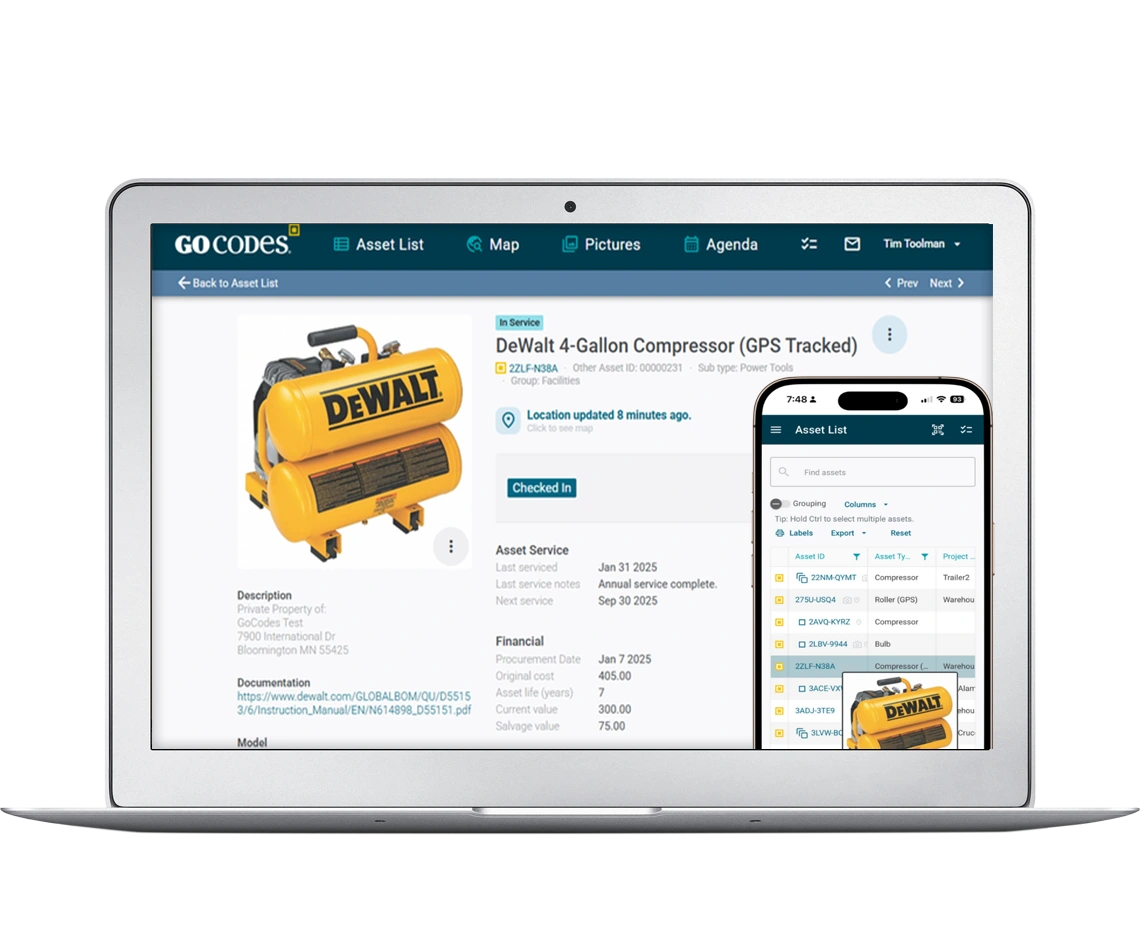
No More Missing Tools
Your crew can’t find tools. Your budget is bleeding. GoCodes stops tool loss with simple QR code scanning (no app needed). Custom tags included. See who has what in seconds. Start a FREE trial today!
Trusted by 1,000+ businesses for the past 14 years







Tool Tracking Made Easy With GoCodes

Works on any phone, no app needed

QR Tags included at our cost

See who has your tools and where
Cost of Tool Loss and Poor Asset Tracking
Monday morning. Your crew needs the laser level. Nobody knows where it is.
Three people had it last week. You waste an hour making calls. Your crew sits around. The job’s already behind.
This is poor tool tracking and it’s bleeding your budget. Find it with GoCodes.
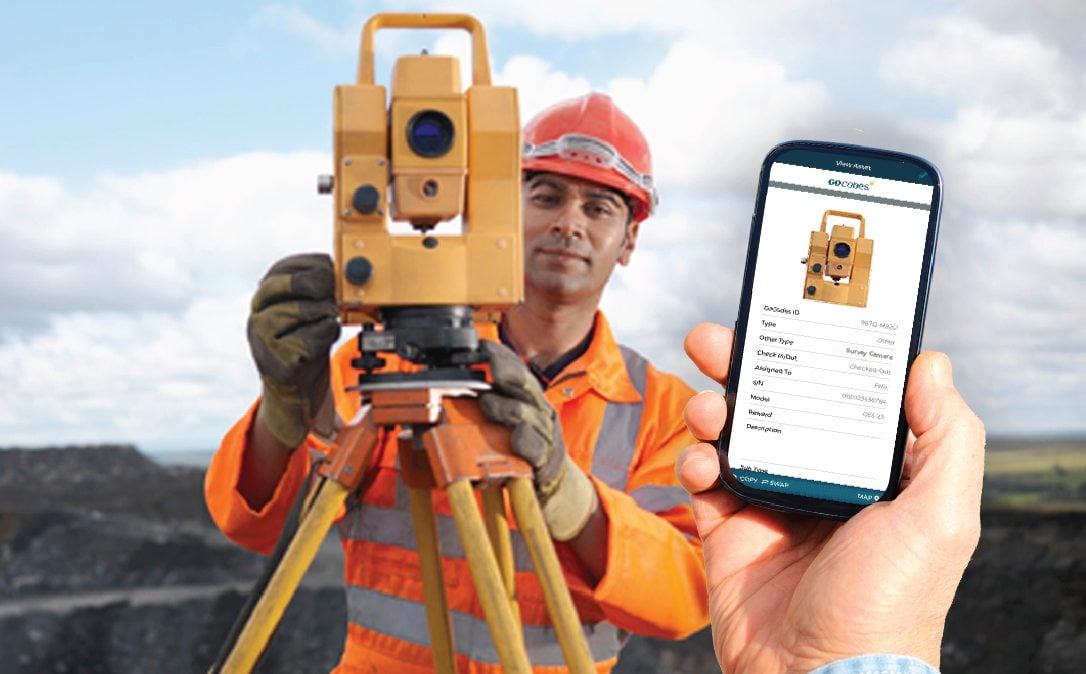
Tool loss drains budgets
Tools disappear every week.
There’s no accountability.
You’re replacing $5,000–$10,000 worth of equipment every year.
Without real-time visibility and chain of custody tracking, the same tools keep vanishing.
No inventory visibility = wasted money
Have you got 4 drills or 7? The spreadsheet says one thing. Reality is different.
Without real-time inventory management, you’ve ordered too many.
Wasted hours hunting for missing equipment equals lost operational efficiency and lost billable hours, too.
No accountability =
tools get trashed
“It wasn’t me! That tool was already broken!”
Without check-in/check-out tracking and audit trails, nobody’s responsible. Tools get damaged. Equipment theft goes unnoticed.
Without the right equipment, everyone’s frustrated. The team culture’s eroded, the project’s stalled.
Maintenance forgotten,
tools break
That loader that died? Should’ve been serviced 8 weeks back. That lack of planning, costs.
Emergency repairs = 3x more than scheduled maintenance.
For operations with ISO, OSHA, or calibration requirements, failed maintenance scheduling creates audit risks and safety liabilities, too.
The Real Cost – Add it Up
- $5,000–$10,000/year replacing lost tools
- $15,000–$30,000/year in wasted labor as your team hunts down equipment (10-person operation)
- 3x higher emergency maintenance costs
- Project delays from missing equipment
- Lost billable hours when crews sit idle
For mid-sized operations (250–2,000 employees), this adds up to hundreds of thousands in lost margin annually.
Poor tool tracking doesn’t just drain budgets, it kills margins and makes profitable projects unprofitable.
Tool Tracking ROI Calculator
How much money are you losing every year due to lost and stolen tools?
How Tool Tracking Works at GoCodes
Step 1: We send you tags
Order GoCodes. We mail you customizable QR code tags included in your price, no extra charge.
You get tags with your company name, logo, email, phone – if you want. Or just serial numbers. Your call.
They stick to anything: metal, plastic, wood.
Need metal tags for harsh conditions? We’ve got those too (for a nominal upgrade fee). They’ll survive welding sparks, chemical exposure, and getting dropped off scaffolding.
Step 2: Tag your tools
Peel the tag and stick it to your tool.
It’s that easy!
Takes 10 seconds per tool!
Each QR code comes with a unique identifier, too.
Step 2: Tag your tools
Peel the tag and stick it to your tool.
It’s that easy!
Takes 10 seconds per tool!
Each QR code comes with a unique identifier, too.
Step 3: Your crew scans with their phones
Here’s the best part: No app to download.
Your guys just log in at the website and scan the QR code with their phone camera.
They tap “Check Out” or “Check In.” Done.
Works on any phone. iPhone, Android, doesn’t matter. If it has a camera, it works.
Takes less than a second per scan.
Step 4: See everything
on your dashboard
Log in from your computer, phone, or tablet.
See every tool:
- Where it is right now
- Who has it
- When they took it
- Complete history of who’s used it
Update tool info. Schedule maintenance. Run reports. All in one place.
Everyone on your team can access it. Give office staff full access. Give foremen view-only. Give crews just enough to scan tools. You control who sees what.
Step 4: See everything
on your dashboard
Log in from your computer, phone, or tablet.
See every tool:
- Where it is right now
- Who has it
- When they took it
- Complete history of who’s used it
Update tool info. Schedule maintenance. Run reports. All in one place.
Everyone on your team can access it. Give office staff full access. Give foremen view-only. Give crews just enough to scan tools. You control who sees what.
“We already track tools in Excel.
Why do we need software?”
Tool Tracking Software vs Spreadsheets
Customize data fields, add photos, schedule work orders and empower your team to work together in every location.
Spreadsheets
GoCodes
Other
Item 1,479
Spreadsheet says it’s a jackhammer, but you’re holding a drill.
One Unreadable Excel File
Who knows what is where
Impossible Setup
Setting up is relatively straightforward, getting people to use it is a different story.
Mobile
Getting someone to use a spreadsheet on mobile, that’s funny.
Support?
Labels Included
Custom, rugged QR tags at cost. Ready to use out of the box.
One System
QR, GPS, and beacon tracking unified.
Fast Setup
Import your assets, print labels, and start tracking the same day.
Mobile-First
Works on any phone, tablet, or computer.
Unlimited Support
Real people, real help, no hidden tiers. Unlimited lifetime support.
Labels Aren’t Included
Might recommend a supplier if you’re lucky, or charge a lot extra.
Disconnected Workflow
Where is what?
Delayed Cross-Functional Set-up
Waiting for separate supplier to ship labels, need to download app and onboard staff.
Works on Mobile?
If you can manage to figure out the app.
Onboard and Vanish
Limited support for the typical customer.
Complete Tool Tracking Features Built For The Field
Real-time visibility
across all job sites
See where every tool is, instantly. Cloud-based system provides live updates across all locations; multiple job sites, warehouses, vehicles, and field teams.
BENEFITS:
- Know what’s available before sending crews out
- Locate missing tools with GPS tracking history
- Eliminate “we don’t have that tool” delays
- Optimize tool allocation across projects
Check-in/check-out
accountability system
Track who has what, when & where. Assign tools to specific employees, contractors, or projects. Every scan creates a permanent digital record.
BENEFITS:
- Eliminate “I don’t know who has it” confusion
- Build accountability culture, everyone knows they’re responsible
- Reduce tool loss by up to 90%
- Protect against theft with audit trail evidence
Real-time visibility across all job sites
See where every tool is, instantly. Cloud-based system provides live updates across all locations; multiple job sites, warehouses, vehicles, and field teams.
BENEFITS:
- Know what’s available before sending crews out
- Locate missing tools with GPS tracking history
- Eliminate “we don’t have that tool” delays
- Optimize tool allocation across projects
Check-in/check-out accountability system
Track who has what, when & where. Assign tools to specific employees, contractors, or projects. Every scan creates a permanent digital record.
BENEFITS:
- Eliminate “I don’t know who has it” confusion
- Build accountability culture, everyone knows they’re responsible
- Reduce tool loss by up to 90%
- Protect against theft with audit trail evidence
Tool Tracking Features That Matter
Automated maintenance scheduling
Never miss critical maintenance again. Set up recurring service tasks, calibration reminders, and inspection schedules. Get alerts before tools fail.
Benefits:
- Prevent downtime from broken tools
- Extend tool lifespan with proactive maintenance
- Stay compliant with safety and certification requirements
- Track complete service history per tool
Inventory management and low-stock alerts
Track consumables’ alerts when inventory runs low.
Benefits:
- Never run out of critical supplies
- Reduce emergency ordering and rush shipping costs
- Optimize purchasing with usage analytics
- Integrate with procurement workflows
Operational efficiency and decision-making
Data-driven insights on tool utilization. See which tools are overused, underused, or sitting idle. Make smarter purchasing and allocation decisions.
Benefits:
- Identify idle tools that waste budget
- Optimize tool allocation across projects
- Calculate true ROI and life-cycle costs
- Support capital investment decisions
Mobile-first design for field teams
Built for job sites, not offices. Lightning-fast QR code scanning, offline mode, and rugged device compatibility ensure your field teams stay productive.
Benefits:
- Works without internet, syncs when connected
- Scan through dirt, dust, and gloves
- Optimized for tablets and rugged devices
- One-handed operation for busy crews
Integration with your existing systems
Works with the tools you already use. Import/export data via Excel, Google Sheets, or REST API. Connect to ERP, accounting, and project management systems.
Benefits:
- Eliminate duplicate data entry
- Sync with QuickBooks, Xero
- API access for custom integrations
- Easy onboarding, import existing asset data in minutes
“Before GoCodes, we were losing track of tools weekly. Now we can see everything from one dashboard and know who has what in seconds.”
GoCodes Tool Tracking Techologies
Use any tracker technology. Attain full equipment visibility and predictive management. Reach total asset management capability.
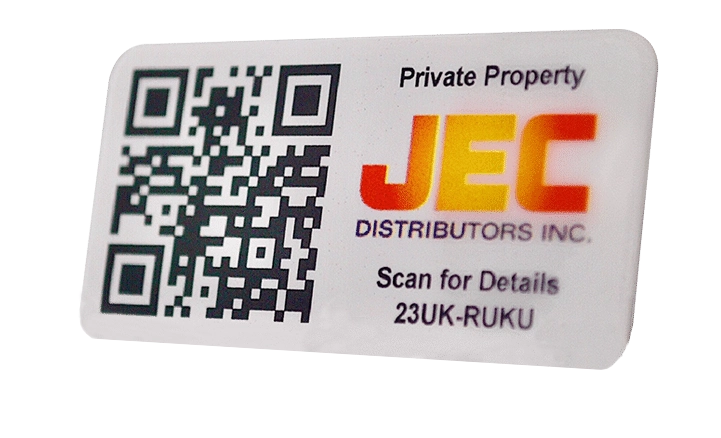
Patented QR Tags
- Customizable QR tags included
- Scan using our top-rated Smartphone app
- Locate your asset on a map
- Upgrade to rugged, metal tags, sold at wholesale prices
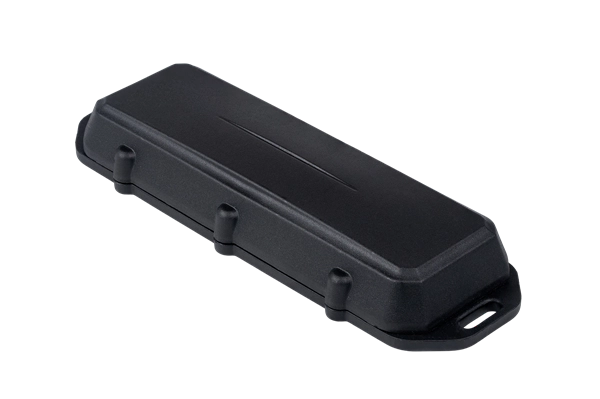
Real-time GPS with Telematics
- Receive real-time location updates
- Track shipments globally
- Record vehicle speed, engine hours, braking and more
- Implement comprehensive fleet managment
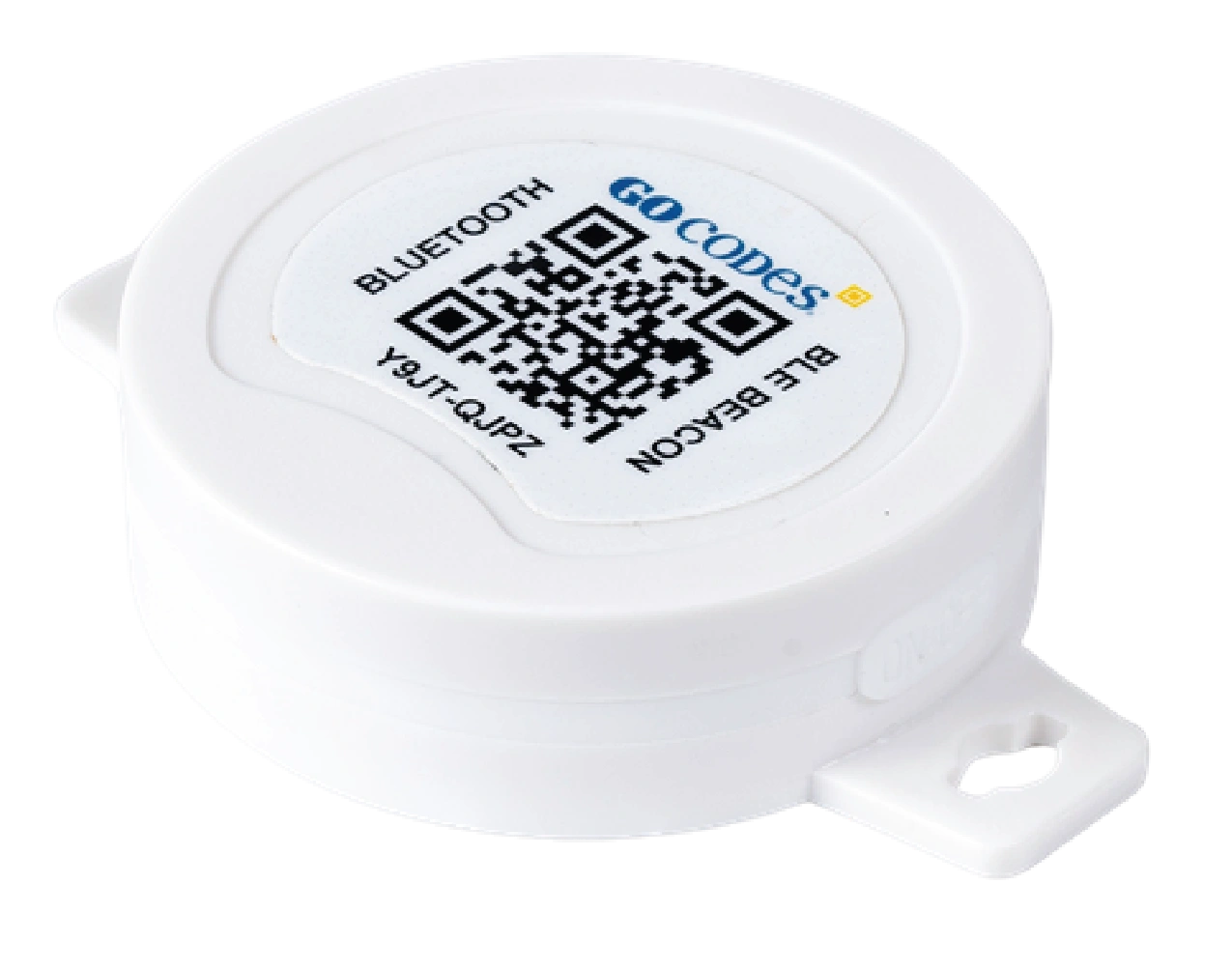
Bluetooth Beacon Tracker
- AirTags™ for business
- Automatically view all nearby assets
- GoCodes Gateway monitors nearby assets
- Guardian mode alerts you when an asset is removed from its location

RFID/NFC Tags
- Harness the power of your smartphone’s built-in NFC tag reading feature
- Instantly view and update asset information by tapping the NFC tag with your phone
- Scan tags through non-metal material for speedy check in and out by teams
Why Customers Choose GoCodes.
See Why Our Customers Rate Us!
GoCodes Asset Tracking





Case Studies
At GoCodes, we pride ourselves on facilitating meaningful asset management. But don’t just take our word for it. Learn how we have created impact for our satisfied users.
University of North Carolina System Asset Management

J&M Keystone
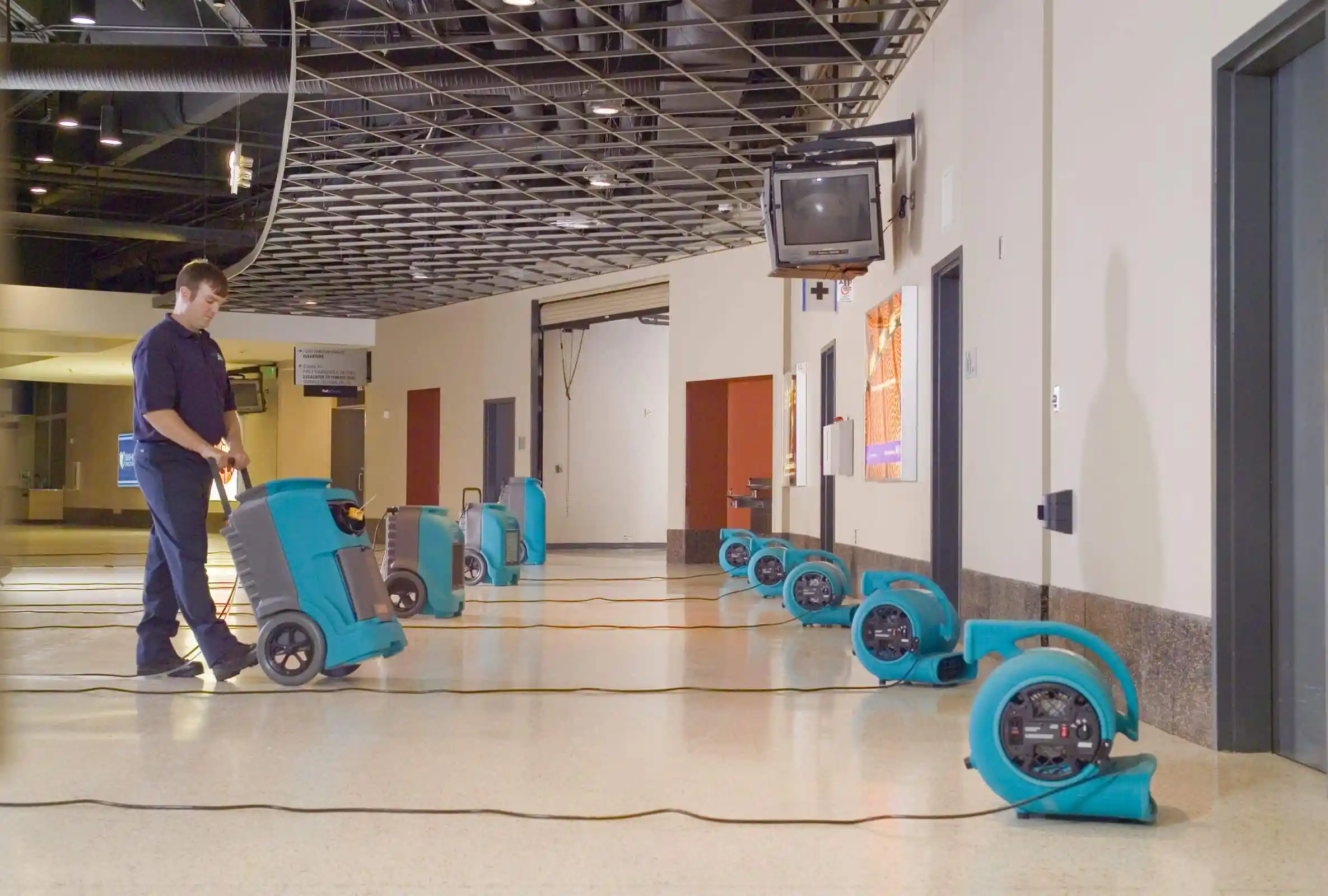
Flood and Damage Restoration
Articles & Insights
Information to give you more tracking power

10 Best Tool Tracking Softwares for 2026
A missing $3,000 rotary laser on a Tuesday morning costs more than $3,000. It also costs the crew standing idle, the rental replacement, the project delay, and the argument about who had it last. Tool tracking software solves this by connecting physical tools to...

6 Best GPS Tracking Systems for Your Tools
This article will show you six top-rated GPS trackers that can help you reduce losses and improve tool management across your job sites.

How To Keep Track of Tools and Equipment: Step-By-Step
Learn effective tips and strategies on how to keep track of tools and equipment to improve organization, efficiency, and productivity.

6 Best Practices For Small Tool Tracking
We bring you a deep dive into six best practices for efficient tracking of small tools for your construction business.

Choosing The Right Tool Tracking Software: What To Look For And What To Avoid
Here’s a quick guide to what to look for when choosing a new tool tracking software for your business. And what to avoid.

We include patented QR code tags that can be customized to your project. They come ready to use with our web software and smartphone scanner apps.
Works on devices you already own
Our FREE scanner apps and tags mean there's no hand-held barcode scanners or printers to purchase – so you’re up-and-running fast.

307 ratings
Apple Mobile App
46 ratings
Android Mobile App

Frequently Asked Questions
Learn more about features, security, integration capabilities, and more!
What is tool tracking software?
Tool tracking software enables construction companies, contractors, and field service teams to monitor the location, status, and usage of hand tools, power tools, and equipment in real-time.
GoCodes’ cloud-based tool tracking system uses patented QR code labels, GPS tracking, and mobile scanning to eliminate tool loss, improve accountability, and reduce downtime caused by missing or broken tools.
How does tool tracking work?
Each asset gets a unique QR code label. When scanned, GoCodes records who has it, where it is, and when it was checked out, automatically updating your cloud dashboard.
What are the benefits of Tool Tracking Software for Construction?
Some of the benefits of tool tracking software for construction companies include:
- Reduced tool loss on active job sites
- More efficient tool allocation across multiple projects
- Visibility tracking tool transfers between job sites
- Maintain compliance with safety inspections
What types of tools and equipment can I track?
Common tools tracked:
- Power tools (drills, saws, grinders, nailers)
- Hand tools (hammers, wrenches, levels, tape measures)
- Safety equipment (harnesses, hard hats, fall protection)
- Specialty tools (concrete vibrators, laser levels, compactors)
- Large equipment (generators, compressors, scaffolding)
GoCodes adapts to your workflow, whether you’re tracking a few hundred or a few thousand assets.
Do I need special scanners or hardware?
No. Any smartphone or tablet camera works. You can also add GPS or Bluetooth beacons for automatic location updates.
Can we track tools across multiple job sites and locations?
Yes, GoCodes is designed for distributed operations. Track tools across job sites, warehouses, service vans, and field teams. GPS tracking shows real-time locations, and the dashboard filters by location, project, or employee.
Who Uses GoCodes Tool Tracking Software?
- Construction Companies
- General, Electrical, Plumbing & HVAC Contractors
- Manufacturing & Industrial Operations
- Facilities Management & Maintenance Teams