
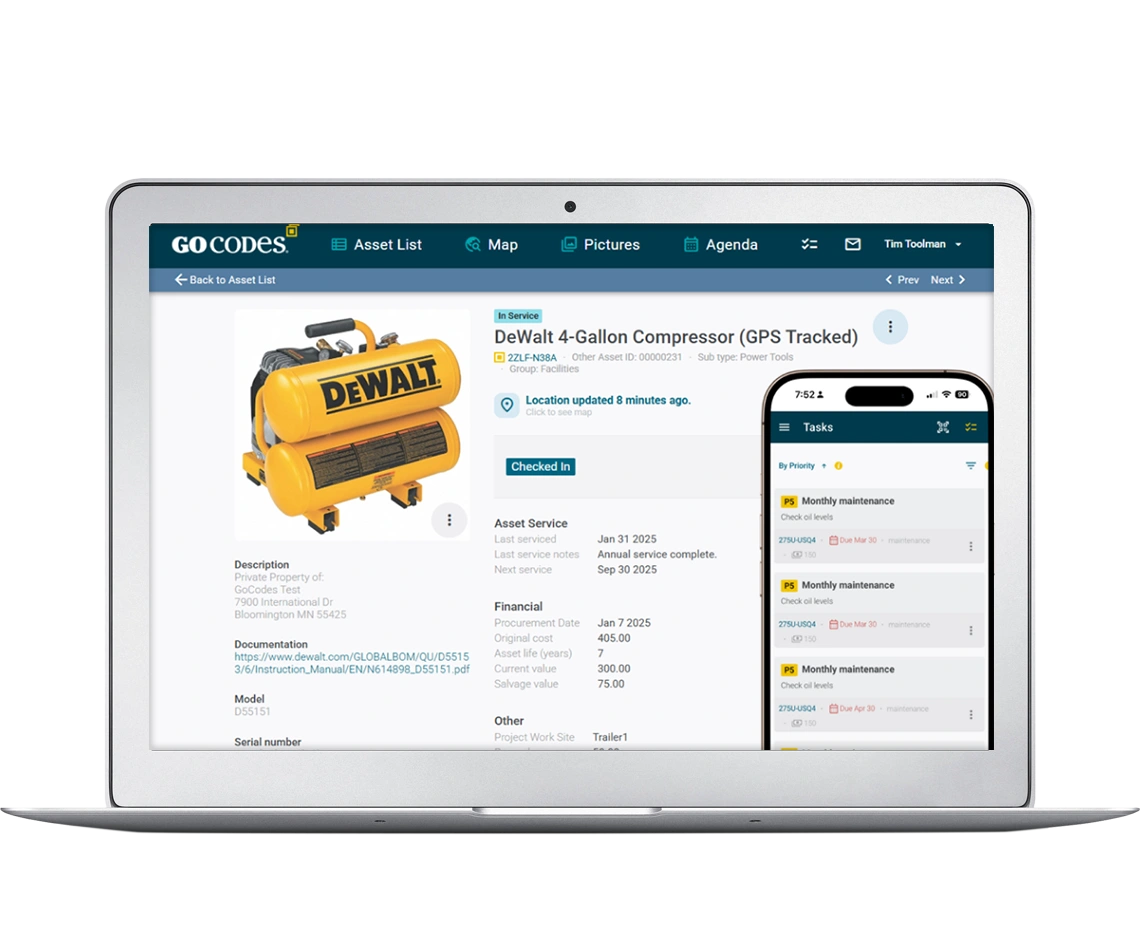
Maintenance and Work Order Software
Prevent Downtime with Smart Maintenance Management
GoCodes combines work order management, preventive maintenance scheduling, and asset tracking in one complete solution.
Built for teams who need reliability without enterprise complexity. Start a FREE trial today!
Trusted by 1,000+ businesses for the past 14 years






The Only Asset Tracking System That’s Actually Easy to Use

Implemented in days, not months
Start tracking equipment in under 2 weeks
Total solution software + hardware
Software + mobile apps + free QR code labels

For trades and industry
Designed for real-world field operations, not just facilities
Reactive Maintenance is Costing You More Than you Think
Equipment Downtime Crisis
When a critical compressor fails on a Friday afternoon, production stops. Your team scrambles to find service records. Was it last serviced 3 months ago or 6? Nobody knows. That’s because the information is scattered across clipboards, Excel spreadsheets and handwritten notes.
Maintenance Windows Missed
Your technicians have 50 assets to maintain across multiple locations. Some equipment gets checked twice in a month. Others go untouched for six months until they break. There’s no visibility into what maintenance is due, what’s overdue, and what equipment’s at risk.
Documentation Disasters
During a compliance audit, you need to prove your HVAC systems were inspected quarterly. You’re digging through filing cabinets, hunting down technician notes, and hoping the inspector accepts your incomplete records.
Technician Inefficiency
Your field teams spend 2 hours each day hunting for the right tools, tracking down asset information, and filling out paperwork. That’s 500 hours per technician per year that could be spent actually maintaining equipment.
The Solution: Unified Maintenance and Work Order Management
GoCodes transforms reactive firefighting into proactive prevention by bridging the three critical gaps in maintenance software:
Data Accuracy → Technician Efficiency
Connect your asset data directly to your technicians through mobile apps that put maintenance history, manuals, and work instructions at their fingertips.
Maintenance Software → Data Accuracy
Eliminate data entry errors with QR code scanning and GPS location tracking that automatically captures asset information, timestamps, and technician accountability.
Work Orders → Preventive Scheduling
Transform reactive work orders into preventive maintenance workflows with automated scheduling, recurring task templates, and overdue alerts.
Core Maintenance Management Features and Capabilities
Preventive Maintenance Scheduling
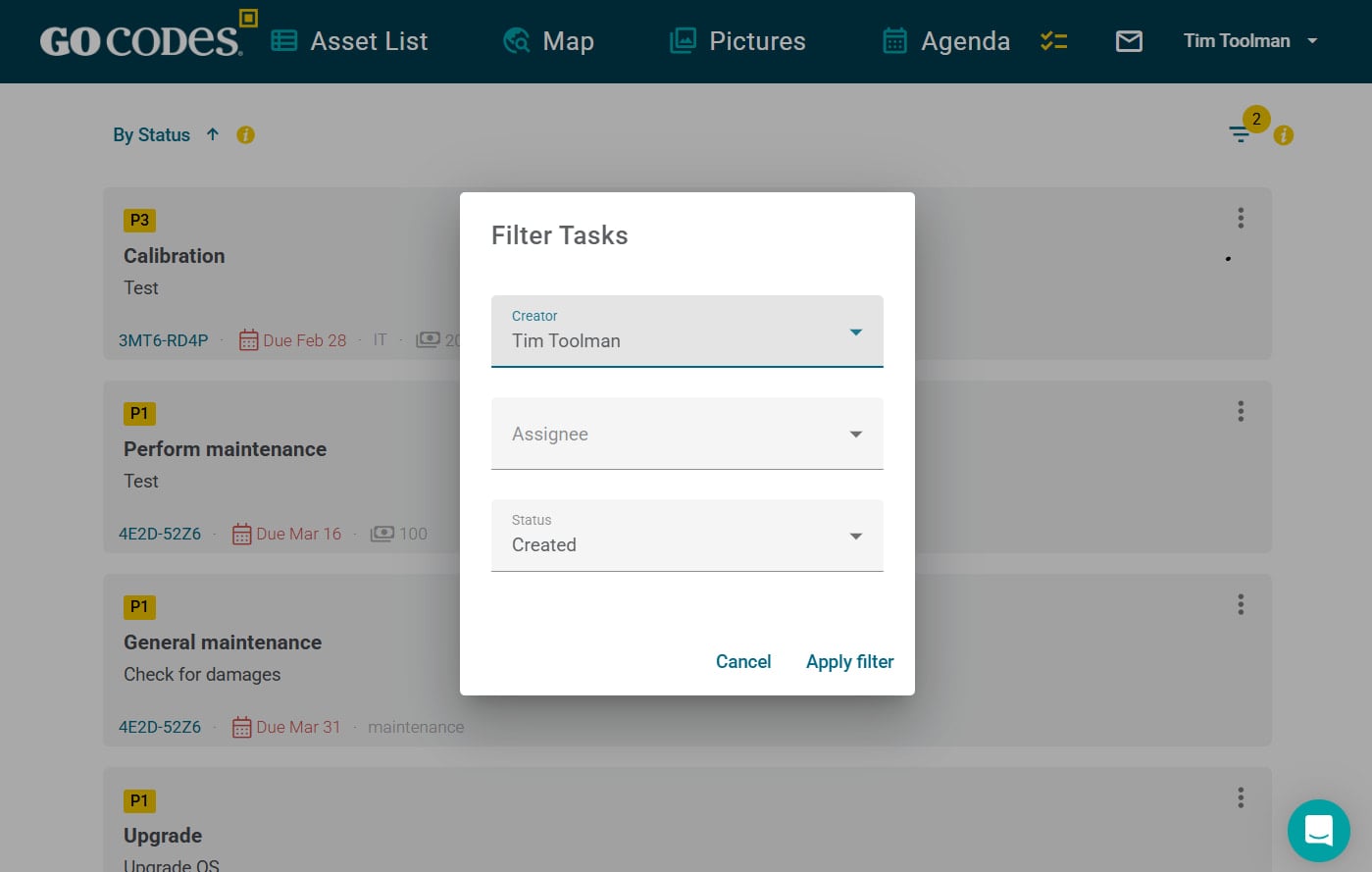
Set up preventive maintenance schedules in minutes, not hours. Create recurring tasks for daily inspections, weekly safety checks, monthly calibrations, or quarterly servicing.
Key Features:
- One-click recurring task creation (daily, weekly, monthly, quarterly, annually)
- Automatic assignment to technicians or teams
- Due date tracking with escalating overdue alerts
- Calendar view of all scheduled maintenance across locations
Work Order Management & Tracking
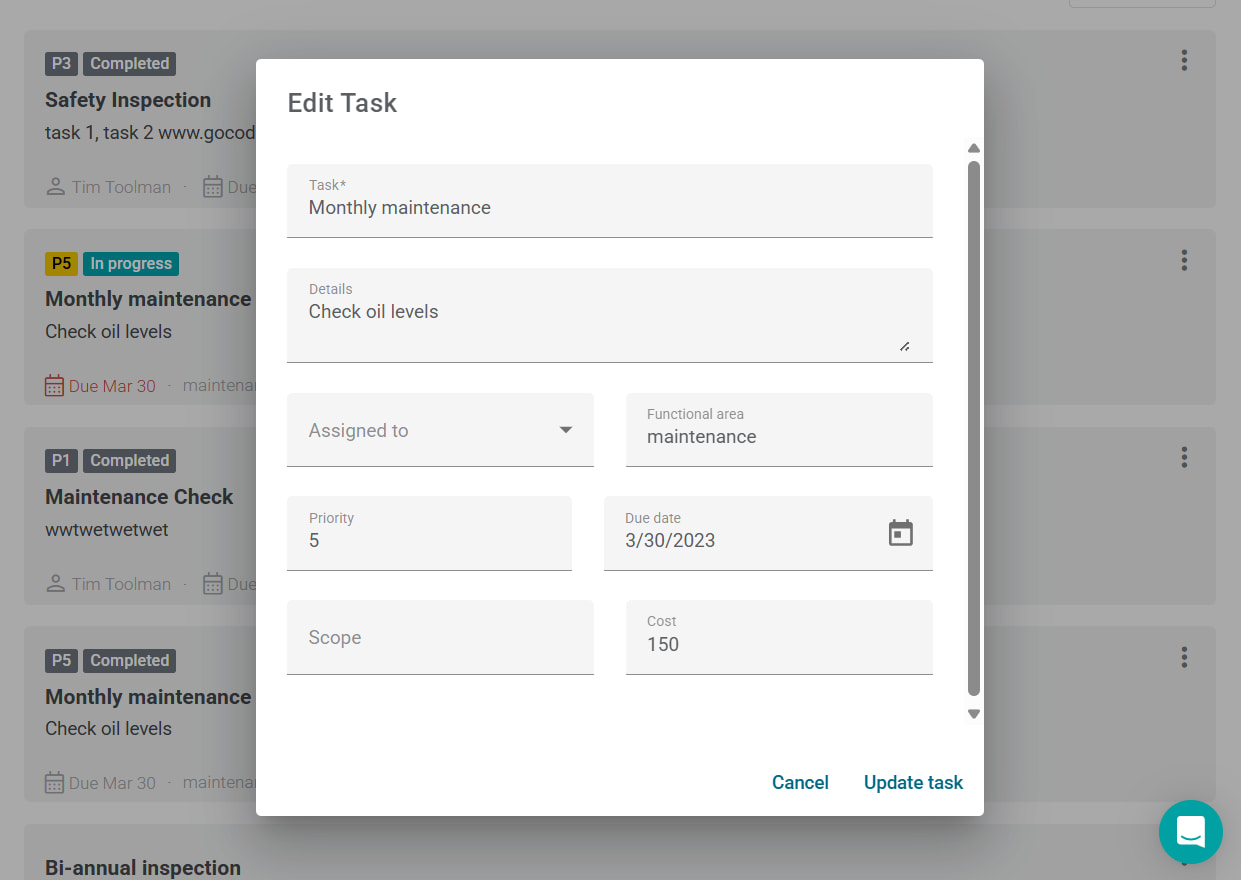
Create work orders by scanning a QR code, searching your asset database, or responding to an automated alert. Assign to technicians, track progress, and document completion all from mobile devices in the field.
Key Features:
- Scan-to-create work orders (2 clicks from QR code to assigned task)
- Priority tagging (routine, urgent, critical, emergency)
- Status workflows (requested → assigned → in progress → completed)
- Photo and video documentation at every stage
- Time tracking for labor cost analysis
- Parts and materials tracking per work order
Work Order Management & Tracking
Create work orders by scanning a QR code, searching your asset database, or responding to an automated alert. Assign to technicians, track progress, and document completion all from mobile devices in the field.
Key Features:
- Scan-to-create work orders (2 clicks from QR code to assigned task)
- Priority tagging (routine, urgent, critical, emergency)
- Status workflows (requested → assigned → in progress → completed)
- Photo and video documentation at every stage
- Time tracking for labor cost analysis
- Parts and materials tracking per work order
Asset and Equipment Tracking
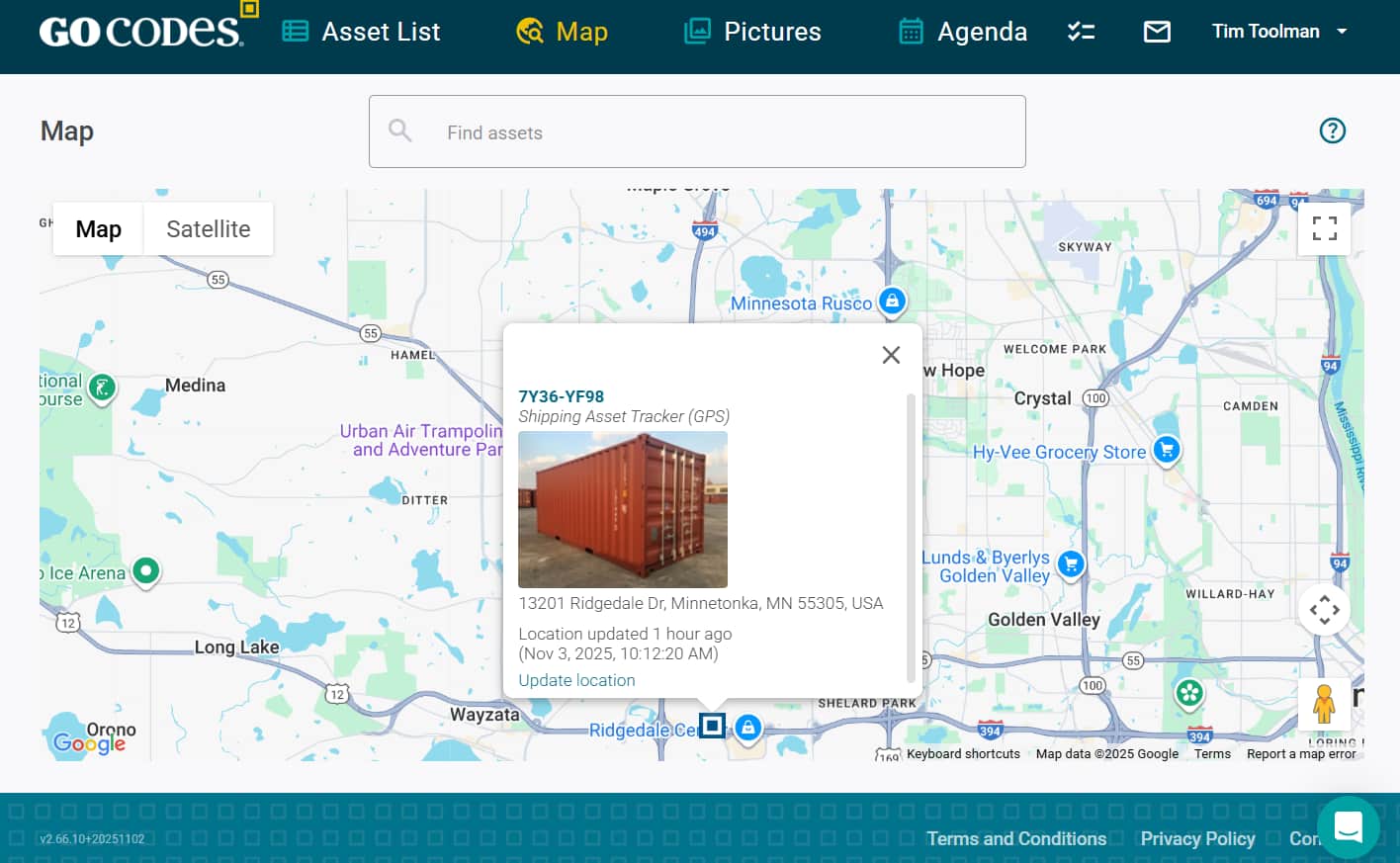
Track every piece of equipment from acquisition to retirement. Know what you have, where it is, who’s responsible for it and have a complete maintenance history.
Key Features:
- QR code labels included (durable, waterproof, unique-identifier for every label)
- Mobile scanning via iOS and Android apps
- GPS location tracking (last scanned location + optional real-time GPS trackers)
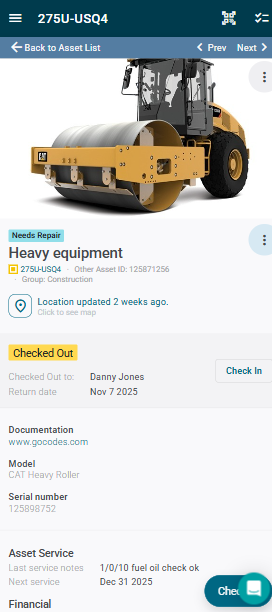
- Check-in/check-out workflows with accountability
- Full audit trail of asset history (maintenance, location changes, assignments)
- Custom fields for asset-specific data (model, serial number, purchase date, warranty info)
Mobile-First Design for Field Teams
Your maintenance team doesn’t work from a desk. Neither should your software! GoCodes is designed for one-handed operation in the field, with offline mode for basement mechanical rooms and remote sites.
Key Features:
- Scan QR codes to instantly pull up asset details and history
- Create and complete work orders entirely from mobile
- Take photos and videos directly in the app
- Voice-to-text for faster note entry
- Offline mode syncs when connection returns
- Digital forms and safety checklists
Mobile-First Design for Field Teams
Your maintenance team doesn’t work from a desk. Neither should your software! GoCodes is designed for one-handed operation in the field, with offline mode for basement mechanical rooms and remote sites.
Key Features:
- Scan QR codes to instantly pull up asset details and history
- Create and complete work orders entirely from mobile
- Take photos and videos directly in the app
- Voice-to-text for faster note entry
- Offline mode syncs when connection returns
- Digital forms and safety checklists
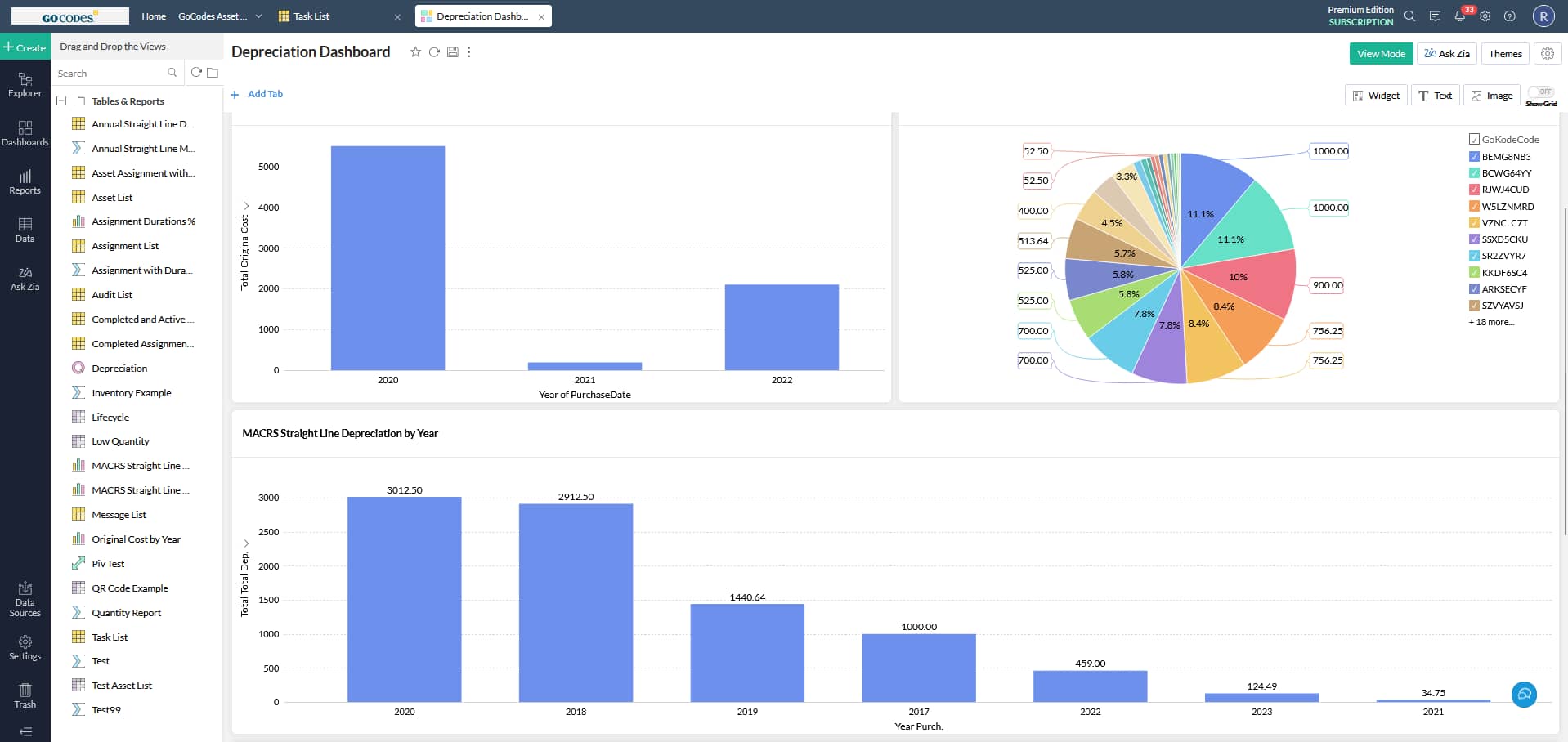
Maintenance Analytics and Reporting
Stop guessing about maintenance performance. See exactly where your time and money are being spent, which assets are problem children and where to focus improvement efforts.
Key Reporting Capabilities:
- Maintenance cost tracking by asset, location, project, or time period
- Preventive vs. reactive maintenance ratio
- Maintenance completion rates and overdue task trends
- Work order volume and response time metrics
Pre-Built Reports:
- Weekly maintenance schedule(what’s due this week)
- Overdue maintenance summary(what’s at risk)
- Asset maintenance history(complete service records per asset)
- Compliance audit logs(prove maintenance was completed)
“We already use an Enterprise CMMS.
Why do we need software?”

GoCodes VS. Enterprise EAM
See why organizations are choosing GoCodes over legacy EAM systems:
GoCodes
Enterprise CMMS
GoCodes
Software + QR code labels + mobile apps in one package
Labels are durable, waterproof, and included
Everything works together out of the box
Start tracking in days, not months
No implementation fees or training costs
Built for trades, construction, and industrial operations
Simple workflows that technicians learn in minutes
Mobile-first design for teams who work with their hands
Powerful but practical features that actually get used
Enterprise CMMS
Sell software only
You source your own asset labels and QR codes
You figure out which mobile apps work with your codes
Integration and setup take weeks or months
Implementation fees, training fees, customization fees
Designed for large facilities and manufacturing plants
Complex workflows that require training and dedicated admins
Desktop-first with mobile as an afterthought
Feature-rich but difficult to use in the field
Why Customers Choose GoCodes.
See Why Our Customers Rate Us!
GoCodes Asset Tracking






Case Studies
At GoCodes, we pride ourselves on facilitating meaningful asset management. But don’t just take our word for it. Learn how we have created impact for our satisfied users.
FANDREWS UNIVERSITY
Speech-Language Pathology & Audiology Department

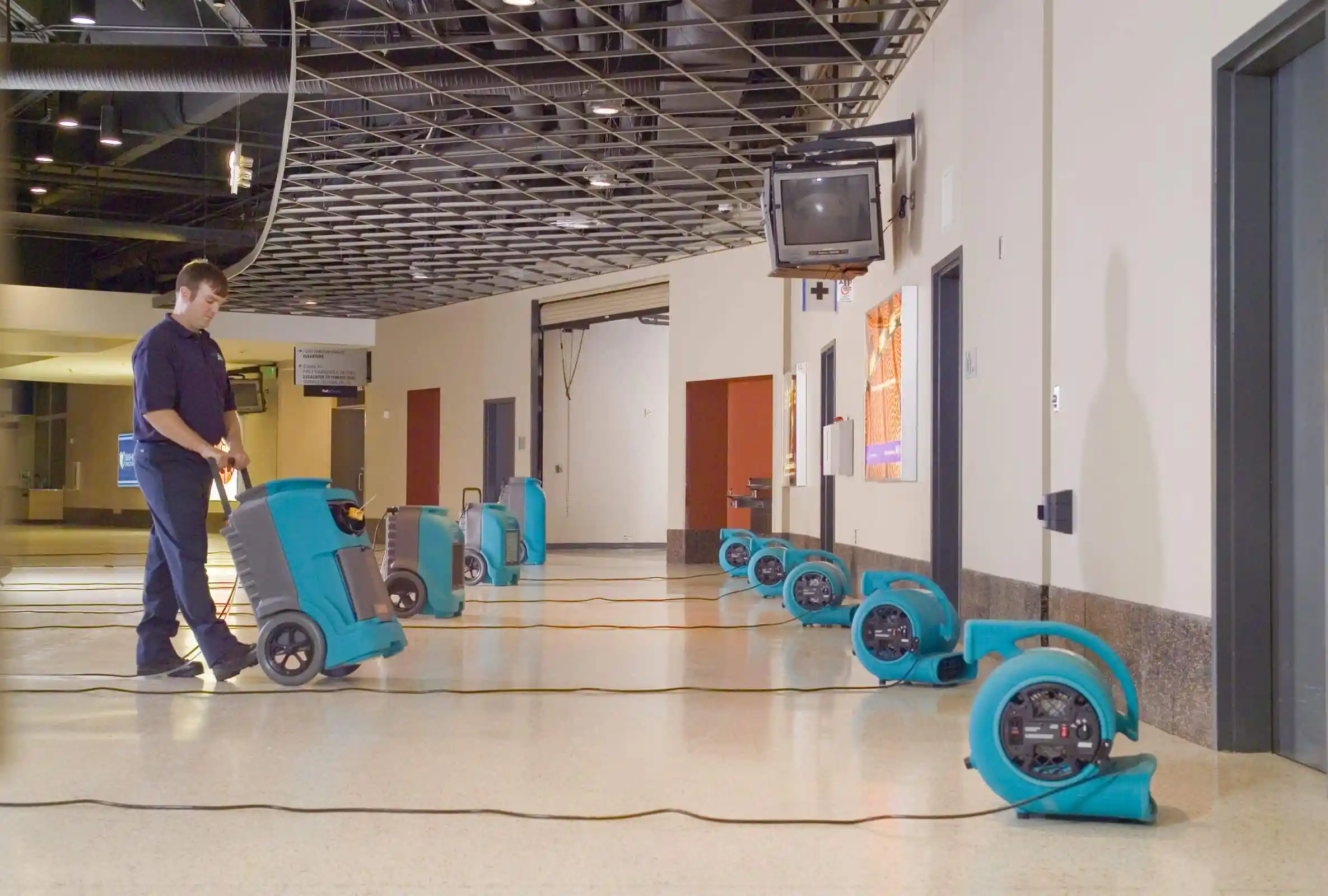
J&M Keystone
Flood and Damage Restoration
Articles & Insights
Information to give you more tracking power

Equipment Maintenance: 5 Best Practices to Follow
Key Takeaways: 75% of professionals already follow proactive equipment maintenance. Daily inspection templates should adjust for seasonal conditions. Manual maintenance logs and spreadsheets can’t keep up with assets across job sites. High-quality parts safeguard both...

How to Reduce Equipment Maintenance Costs
Want to reduce equipment maintenance costs? This guide will show you practical strategies that lower expenses and improve asset performance.

Preventive Maintenance Checklist: What You Need to Know
In this article, you’ll learn how to build and use a preventive maintenance checklist to keep your equipment running longer.

Equipment Maintenance Log: A Complete Guide
Tracking equipment issues manually? This article will teach you how a structured log can streamline your maintenance operations.

Equipment Scheduling & Booking Software: Our Top Picks
Explore our list of software solutions for scheduling and booking construction equipment, including their pros, cons, and key features.

We include patented QR code tags that can be customized to your project. They come ready to use with our web software and smartphone scanner apps.
Works on devices you already own
Our FREE scanner apps and tags mean there's no hand-held barcode scanners or printers to purchase – so you’re up-and-running fast.

307 ratings
Apple Mobile App
46 ratings
Android Mobile App

Frequently Asked Questions
Learn more about features, security, integration capabilities, and more!
What is Maintenance Management Software?
Maintenance management software is a digital system that helps organizations schedule, track, and document all maintenance activities across their equipment and assets. It replaces manual methods (spreadsheets, clipboards, paper forms) with automated workflows that ensure maintenance happens on time, is properly documented, and provides complete visibility into equipment health and maintenance costs.
How does Maintenance Management Software work?
Maintenance management software works by creating a digital record for each piece of equipment, then tracking all maintenance activities through work orders. Preventive maintenance is scheduled automatically based on time intervals or usage metrics. When maintenance is due or equipment needs repair, the system creates a work order, assigns it to a technician, and tracks completion. Mobile apps let technicians scan QR codes to access equipment information, complete digital checklists, and document their work with photos. Managers get real-time visibility into all maintenance activities and can run reports on costs, completion rates, and equipment performance.
Is GoCodes a CMMS (Computerized Maintenance Management System)?
Yes, GoCodes functions as a CMMS but without the complexity of traditional enterprise systems. We provide all the core CMMS capabilities: work order management, preventive maintenance scheduling, asset tracking, and reporting but in a simpler, more affordable package designed specifically for trades and industrial operations. Think of it as “CMMS-lite” with the features you actually need, not the complexity you don’t.
What's the difference between Work Order Management and Maintenance Management?
Work order management focuses on tracking and completing individual maintenance tasks like creating work orders, assigning them to technicians, and documenting completion. Maintenance management is broader, encompassing work orders plus preventive maintenance scheduling, asset tracking, parts inventory, and long-term maintenance planning. GoCodes includes both: work order management for reactive repairs and maintenance management for proactive prevention.
Can supervisors see real-time status of work orders in progress?
Yes. Supervisors and managers can see all work orders in real-time, including which technician is assigned, current status (in progress, completed, on hold), time spent, and photos uploaded. This visibility helps with scheduling, accountability, and answering customer questions.
Will GoCodes help with compliance audits (OSHA, ISO, industry-specific)?
Yes. GoCodes provides complete audit trails showing:
- All maintenance completed with timestamps and personal accountability
- Photos documenting equipment condition before and after maintenance
- Digital checklists proving required inspections were completed
- Compliance reports exportable to PDF or Excel
Many customers use GoCodes specifically to pass OSHA, ISO 9001, FDA, and industry-specific audits. You can run a compliance report showing all maintenance for a specific time period in minutes.