
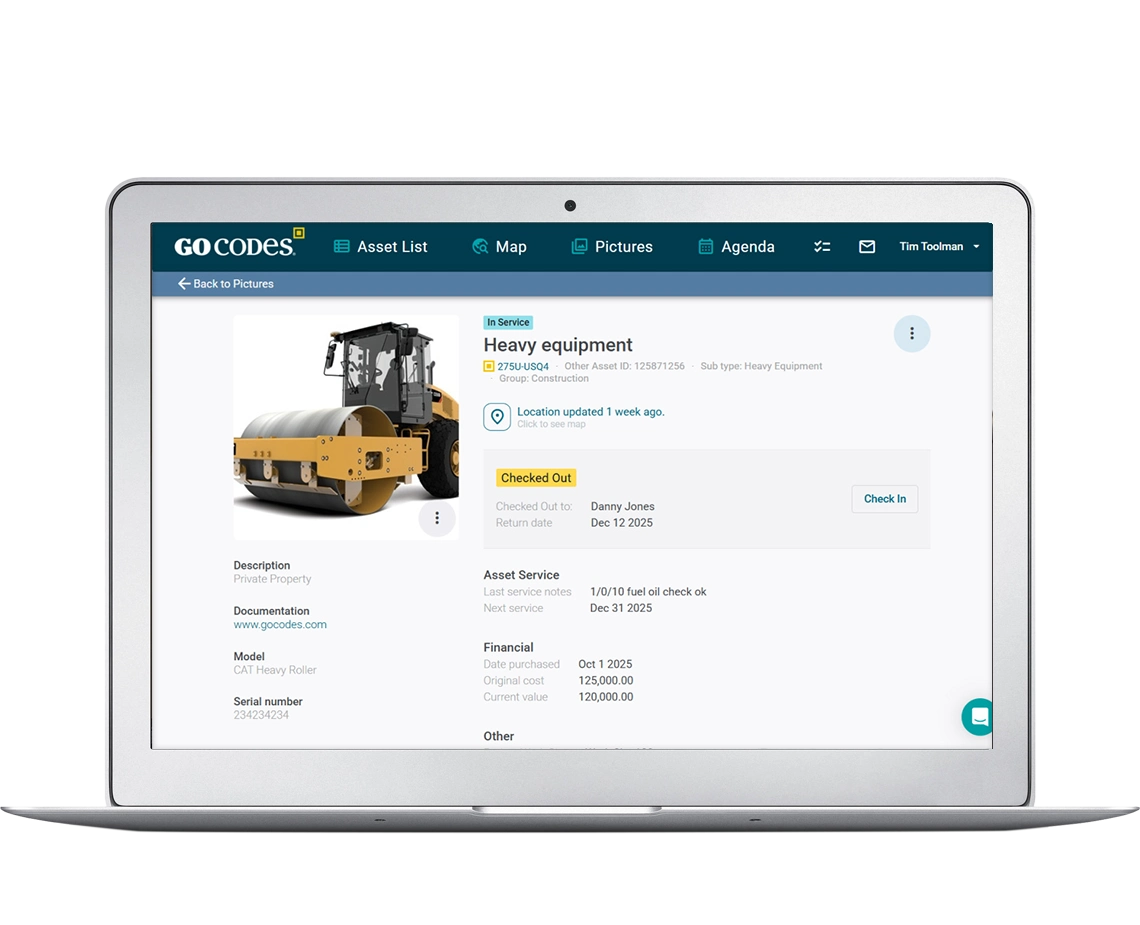
Fixed Asset Management Software
Bridge the Gap Between Asset Operations and Finance
Track equipment location and condition in real-time while simultaneously managing depreciation schedules, maintenance histories, and regulatory compliance. Start a FREE trial today!
Trusted by 1,000+ businesses for the past 14 years






Track Every Asset from Acquisition to Disposal
Automatically calculate depreciation
Manage maintenance and tax compliance
All in one cloud-based platform
Why Fixed Asset Management Fails Without Connected Systems
Most companies manage fixed assets in two completely separate worlds.
Operations track:
Asset location, condition, check-in/check-out, maintenance schedules
Finance tracks:
Purchase costs, depreciation calculations, book values, disposal records
This Disconnect Causes Real Problems
- Your operations’ team updates asset locations in one system.
- When equipment breaks or gets disposed of early, nobody updates the depreciation schedule.
- Your accounting team manually enters depreciation in another.
- When year-end reporting arrives, finance scrambles to reconcile what was actually purchased, used, maintained, and disposed of throughout the year.
When your field team scans a QR code to check equipment condition, that same asset’s depreciation schedule is automatically accessible to your finance team. When an asset is disposed of, both the physical record and the depreciation calculation update simultaneously.
GoCodes solves this by connecting operational asset tracking directly to a financial depreciation management in a single platform
How GoCodes Works
GoCodes combines asset tracking and automated depreciation in one platform, eliminating the year-end chaos of reconciling separate operations and accounting systems.
Add Assets and Start Depreciation Automatically
- Enter purchase details → automatic depreciation begins
- Apply QR code labels to physical assets
- Fixed asset register creates itself
- Eliminates manual spreadsheet reconciliation
Add Assets and Start Depreciation Automatically
- Field teams scan QR codes for check-in/out, location updates, condition docs
- Creates timestamped audit trail automatically
- Operations and finance access same real-time data
- No separate systems to reconcile
Add Assets and Start Depreciation Automatically
- One-click depreciation schedules and financial reports
- Compatible with QuickBooks, Xero
- Reduces tax prep
- Complete operational and financial data together all year
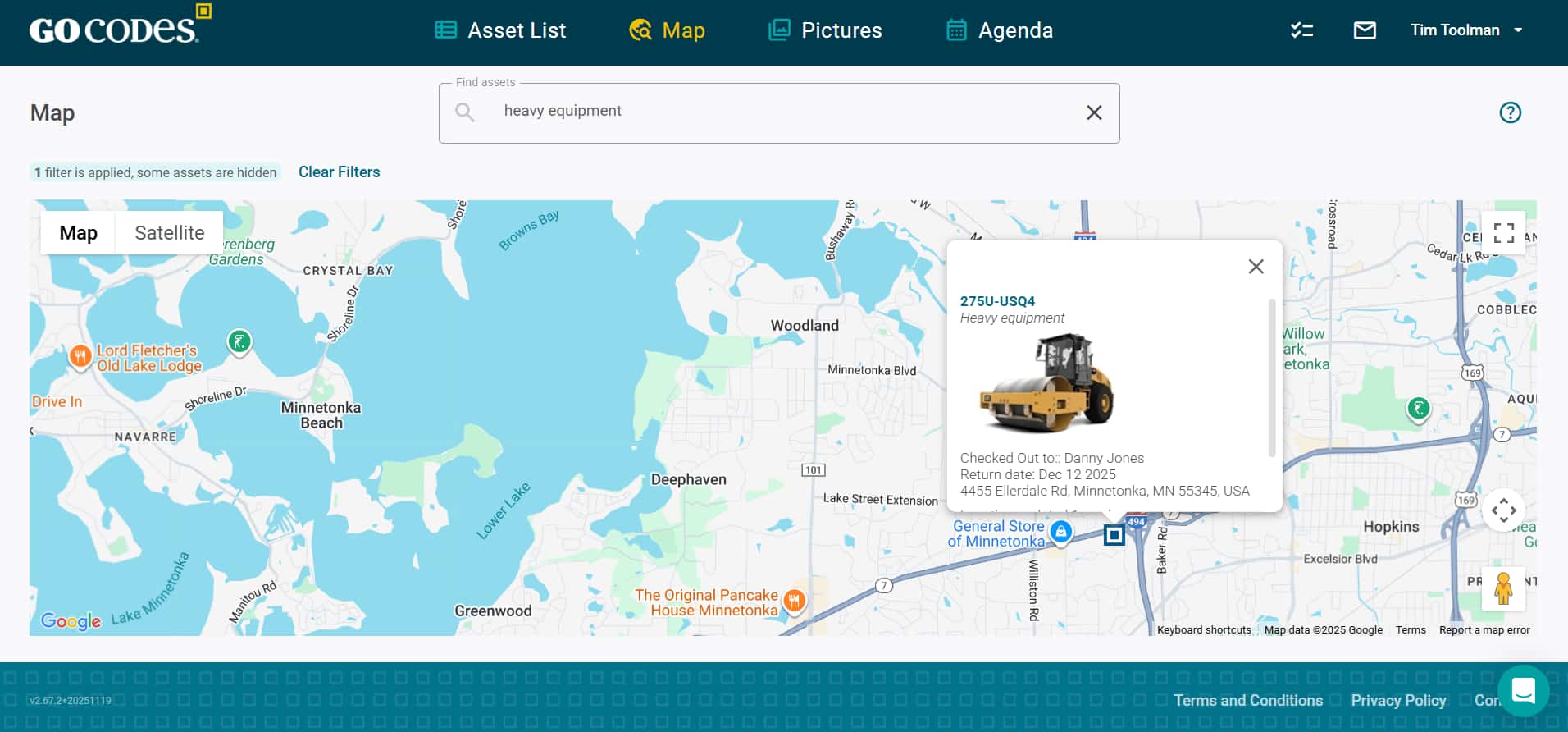
Complete Fixed Asset Tracking and Depreciation Management in One Platform
Automated Depreciation Calculations
GoCodes automatically calculates asset depreciation using multiple IRS-approved methods including straight-line, declining balance, MACRS, and Section 179. The software handles the complexity while your finance team focuses on strategic decisions.
The system automatically factors in acquisition dates, useful life, salvage values, and disposal dates to maintain accurate book values. When tax season arrives, your depreciation schedules are already complete, no last-minute reconciliation needed.
Key Depreciation Features:
Pro-rata depreciation calculations for mid-year acquisitions and disposals
Automatic calculation of monthly and annual depreciation expenses
Book value tracking shows current asset worth at any point
Accumulated depreciation totals for financial statements
Multiple depreciation methods (straight-line, declining balance, MACRS, Section 179, sum-of-years-digits)
Custom useful life settings by asset class or individual asset
Salvage value management for end-of-life planning
Real-Time Asset Tracking
Physical asset management feeds directly into your financial records. When operations update asset location, condition, or maintenance, finance sees a complete audit trail.
Every physical interaction with an asset from routine inspections to repairs to re-locations, creates timestamped records that support financial audits and compliance requirements.
Operational Tracking Capabilities:
QR code and barcode scanning with mobile devices (no app download required)
GPS tracking for mobile equipment and vehicles
Real-time location updates with last-known position history
Asset check-in/check-out with user accountability
Condition documentation with photo attachments
Custom fields for serial numbers, purchase orders, vendors, departments
Bluetooth beacon tracking for automatic proximity detection
RFID tag reading for bulk scanning through non-metal materials
Maintenance and Compliance Management
Proper maintenance extends asset life and protects your depreciation investments. GoCodes connects maintenance activities to both operational efficiency and financial planning.
When equipment requires unexpected repairs, maintenance costs are automatically associated with the correct asset, giving finance accurate lifecycle cost data for replacement planning decisions.
Maintenance Management Features:
Scheduled preventive maintenance calendars by asset
Maintenance history with costs, parts, labor, and vendor details
Custom alert notifications before scheduled service dates
Integration of repair costs with asset book values
Calibration management for regulated equipment
Service documentation with technician notes and photos
Maintenance cost roll-up into total cost of ownership
Warranty tracking with expiration alerts
Automated Reporting for Tax Compliance
GoCodes generates the reports your accountant needs without manual data compilation. Export depreciation schedules, asset registers, and disposal records formatted for tax preparation software.
Tax preparation time drops from weeks to hours when your fixed asset register maintains itself throughout the year.
Financial Reporting Capabilities:
Depreciation schedule reports by asset, department, or class
Current book value reports for balance sheet preparation
Asset acquisition summaries for capital expenditure tracking
Disposal and retirement reports with gain/loss calculations
Tax-ready exports compatible with QuickBooks, Xero, Sage, NetSuite
Custom report builder for unique business requirements
Scheduled report generation and email delivery
Historical snapshots for year-over-year comparisons
Asset Lifecycle Management from Purchase to Disposal
GoCodes combines asset tracking and automated depreciation in one platform, eliminating the year-end chaos of reconciling separate operations and accounting systems.
Acquisition:
- Purchase order documentation and vendor details
- Initial asset setup with photos and specifications
- Opening cost basis including freight, installation, setup
- Immediate depreciation schedule creation
Asset classification and department assignment
Deployment:
- Assignment to locations, employees, projects, or departments
- Check-out procedures with digital signatures
- GPS tracking of mobile assets
- Real-time utilization monitoring
- Transfer history between locations or users
Operation:
- Ongoing condition assessments with photo documentation
- Usage tracking for hours operated or miles driven
- Incident reporting for damage or theft
- Integration with work order systems
- Performance metric tracking by asset
Maintenance:
- Preventive maintenance scheduling and execution
- Repair history with costs and parts tracking
- Warranty claim documentation
- Vendor management and service contracts
- Downtime tracking and cost impact analysis
Retirement:
- Disposal documentation with method (sale, scrap, donation, trade-in)
- Final depreciation calculation to disposal date
- Gain or loss calculation for tax reporting
- Removal from active asset register
- Historical record retention for audits
Why Customers Choose GoCodes.
See Why Our Customers Rate Us!
GoCodes Asset Tracking






We include patented QR code tags that can be customized to your project. They come ready to use with our web software and smartphone scanner apps.
Works on devices you already own
Our FREE scanner apps and tags mean there's no hand-held barcode scanners or printers to purchase – so you’re up-and-running fast.

307 ratings
Apple Mobile App
46 ratings
Android Mobile App

Frequently Asked Questions
Learn more about features, security, integration capabilities, and more!
What is a Fixed Asset Management System?
A fixed asset management system is software that tracks physical assets throughout their operational lifecycle while simultaneously managing their financial depreciation and book value. Fixed assets are long-term physical items a company owns and uses in operations including equipment, vehicles, machinery, tools, and buildings. They appear on the balance sheet and depreciate over time. The system records when assets are acquired, tracks their location and condition during usage, schedules and documents maintenance, calculates depreciation using IRS-approved methods, and records disposal when assets are sold or retired.
Unlike general inventory management (which tracks consumable items that get used up), fixed asset management focuses on durable equipment that maintains value over multiple years. The system serves both operational needs (where the equipment is, who has it, when it requires service) as well as financial needs (the current book value, how much has depreciated and the tax impact). For companies with significant equipment investments, a fixed asset management system prevents loss, ensures compliance and provides the accurate depreciation data accountants needed for financial statements and tax returns.
How does Fixed Asset Management Software work?
Fixed asset management software works by creating a digital record for each physical asset that connects operational data to financial calculations. When you acquire new equipment, you enter the purchase details cost, acquisition date, vendor, expected useful life and the system immediately begins calculating depreciation based on your chosen method (straight-line, MACRS, Section 179, etc.). Operations teams then scan QR code labels on the equipment using smartphones to update location, check equipment in and out, document condition with photos, and log maintenance activities. All these operational updates attach to the same asset record that finance uses for depreciation. The system automatically calculates monthly depreciation based on the acquisition date and method, maintaining real-time book values. When equipment is serviced, those maintenance costs associate with the specific asset for total cost of ownership tracking. When assets are retired or disposed of, the system calculates final depreciation through the disposal date and determines any gain or loss for tax reporting. Throughout this entire process, operations and finance work in the same system, operations focuses on physical asset management while finance focuses on depreciation and compliance, but everyone sees the same current, accurate data without manual reconciliation between separate systems.
Which solution tracks depreciation on construction assets?
GoCodes tracks depreciation on all construction assets including heavy equipment, power tools, vehicles, trailers, and machinery. Construction companies use GoCodes to manage depreciation on excavators, bulldozers, generators, welders, scaffolding, trucks, and hand tools, everything from $500 power tools to $500,000 excavators. The system handles construction-specific depreciation scenarios like MACRS for heavy equipment, Section 179 expensing for new tool purchases, and mid-year convention calculations when assets are acquired or disposed of during construction projects. Construction crews scan QR codes on equipment at job sites to document location and condition, while the accounting department accesses the same system to run depreciation schedules for tax returns. This eliminates the common construction industry problem where field operations track equipment in spreadsheets while accounting maintains a separate fixed asset register, causing reconciliation nightmares during year-end reporting.
How does GoCodes calculate depreciation automatically?
When you add an asset to GoCodes, you specify acquisition date, cost, depreciation method, and useful life. The system automatically calculates monthly and annual depreciation based on IRS methods including straight-line, declining balance, MACRS, Section 179, and sum-of-years-digits. Book value updates automatically each month. When you dispose of an asset, the system calculates final depreciation through disposal date and any gain or loss on disposal.
Can I import my existing fixed asset register?
Yes. GoCodes imports data from Excel, CSV, QuickBooks, Sage, NetSuite, Xero, and most other systems. Our implementation team assists with field mapping and data cleanup to ensure accurate initial depreciation schedules. Historical depreciation is calculated from original acquisition dates, so your current book values will match your existing accounting records.
Can this handle vehicles and equipment with mileage-based depreciation?
Yes, for vehicles and equipment where usage drives depreciation more than time, GoCodes tracks hours operated or miles driven. You can calculate depreciation based on usage (e.g., $0.05 per mile) rather than time (e.g., $5,000 per year). The system supports both methods simultaneously, allowing you to calculate whichever is more beneficial. GPS trackers can automatically log mileage without manual entry.
What's the difference between this and general asset tracking software?
General asset tracking software focuses on operational questions: Where is this equipment? Who has it? When was it last serviced? Fixed asset management software adds financial questions: What’s the current book value? How much depreciation has accumulated? When should we replace this based on remaining useful life? GoCodes combines both, giving operations’ teams the location and condition tracking they need, while giving finance teams the depreciation and compliance data they need. One system, one source of truth, no reconciliation between operations and accounting.
How does this connect to our accounting system?
GoCodes integrates with accounting systems through REST API or Excel/CSV exports. Import asset purchases from your general ledger to automatically create depreciation schedules. Export depreciation entries formatted as journal entries. Synchronize chart of accounts and cost centers. Update book values in your financial system. Most customers run monthly depreciation exports that their accountant uses to post depreciation journal entries.
Articles & Insights
Information to give you more tracking power

Managing Fixed Assets with QR Codes and Your Smartphone
Key Takeaways: QR codes and smartphones help digitize, organize, and automate your asset management workflows. A QR code-based tracking system can help save between 5 and 15 workdays per worker per year by reducing the time spent searching for assets. One company...

Asset Optimization: What You Need to Know
Want to understand asset optimization better? This guide covers the what, why, and how to help you take control of your assets.

Asset Lifecycle Management – When To Repair, Replace Or Retire Assets
Not sure when to repair, replace, or retire your equipment? This guide will help you make smart lifecycle choices.

The Full Guide to Asset Management Compliance
Want to improve your asset management compliance? Our full guide explains what’s required, what to avoid, and how to get it right.

Asset Life Cycle: The Ultimate Guide
Want to improve your asset management strategy? This guide explains each step of the asset life cycle and how to make data-driven decisions.